

Blackmagic Design ATEM Camera Control Panel
€3 912,50
- Compra libre de IVA disponible al finalizar la compra.
Descripción
Artículo nro.: 2536
Blackmagic Design ATEM Camera Control Panel
Control panel that allows Blackmagic Design cameras to be controlled via an ATEM image mixer. The control panel allows you to adjust the camera's aperture, black point, shutter speed, RGB color, white balance, and more.Control cameras from Blackmagic Design
Together with an ATEM image mixer and cameras from Blackmagic Design, you can control the cameras remotely via the ATEM Camera Control Panel. The control signal is embedded in the SDI return signal to the camera and makes it possible, among other things, to control the camera aperture via the large control panel control.4 different channels
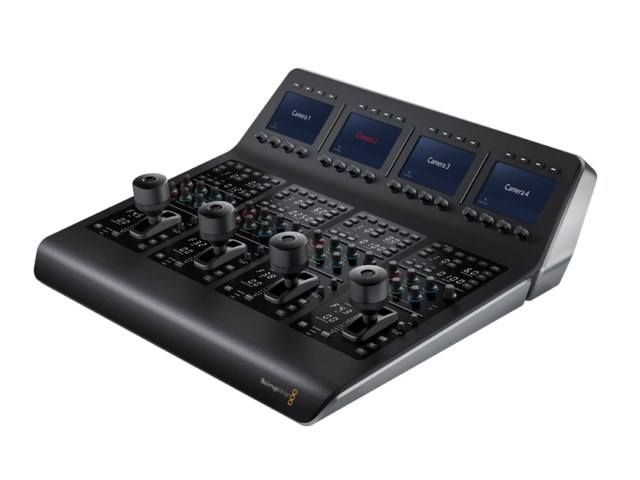
Up to four different cameras can be controlled at the same time and if you have more cameras you can quickly change which of the cameras the control panel should adjust. The camera selected is shown partly on the large screen at the top of the control panel and with a number next to the aperture control.Settings screen
At the top of the ATEM Camera Control Panel is a screen that shows which camera is currently active. At the top and bottom of the screen there are four buttons and four knobs that allow you to adjust camera settings.Full control of the settings
On the control panel you can adjust the camera shutter speed, gain value, any ND filters and white balance. There are also controls for the colors red, green and blue in high and low days.
Power supply
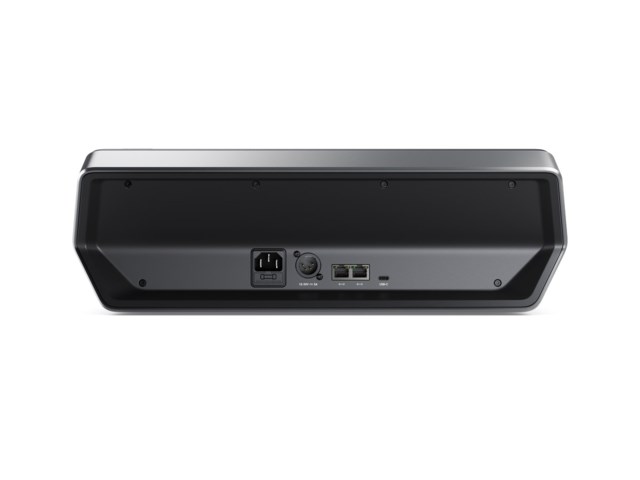
The ATEM Camera Control Panel can be connected to 230 volts mains voltage or 12 volts via XLR connector. If both power sources are connected at the same time, the control panel gets redundancy should one of the power sources disappear.Mounting
The control panel can be mounted on a table or mounted in a rack with extendable slide. Below the panel are mounting points that allow it to be screwed onto, for example, a table top.Supplied without power cable.