
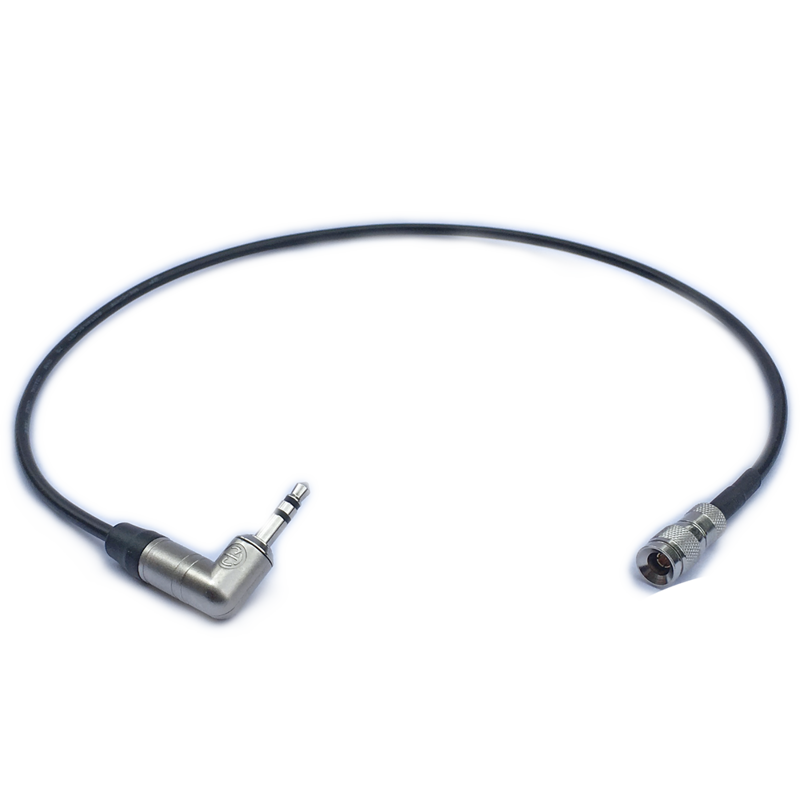
Atomos Cable to feed MIC level timecode from the LTC port on the UltraSync ONE
- VAT free purchase available at checkout.
- BrandAtomos
Description
Article no.: 24278
Atomos Cable – Feed MIC level timecode from the LTC port on the UltraSync ONE
This Atomos cable transmits MIC-level timecode from the LTC port on the UltraSync ONE. It provides a straightforward way to send timecode from the UltraSync ONE’s LTC output into a device that accepts a microphone-level timecode input.
What this cable does
Use this cable when you need to move timecode information out of the UltraSync ONE and into a microphone-level timecode input on another device. In short, it converts the LTC port output of the UltraSync ONE into a MIC-level timecode feed for compatible equipment.
Key points
- Primary function: Feed MIC-level timecode from the LTC port on the UltraSync ONE.
- Simplicity: Connects the UltraSync ONE’s LTC output to a MIC-level input on a target device.
Typical use cases
- Send timecode from the UltraSync ONE into a recorder or camera that accepts timecode via a microphone-level input.
- Integrate LTC-based timecode into workflows where the receiving device expects a MIC-level signal.
- Streamline timecode distribution on set when the UltraSync ONE is the source of LTC.
How to use the cable
- Connect one end to the UltraSync ONE’s LTC port.
- Connect the other end to the target device’s microphone-level timecode input.
- Confirm the receiving device is set to accept MIC-level timecode as input and that the UltraSync ONE is outputting LTC.
Compatibility and checks
Before use, verify that your receiving device accepts timecode on its microphone input at MIC level. Also ensure the UltraSync ONE’s LTC output is enabled and configured as needed for your setup. If the receiving device does not accept mic-level timecode, this cable may not provide the expected result.
FAQ
Question: What does this cable do?
Answer: It feeds MIC-level timecode from the LTC port on the UltraSync ONE into a device that accepts a microphone-level timecode input.
Question: Which devices can I connect with this cable?
Answer: You can use it with devices that accept timecode via a MIC-level input. Check the receiving device’s documentation to confirm it supports timecode on its microphone input.
Question: Are there any settings I need to change?
Answer: Typically you must ensure the receiving device is set to accept MIC-level timecode and that the UltraSync ONE’s LTC output is active. Refer to both devices’ manuals for specific configuration steps.
Question: What should I check if timecode isn’t appearing on the receiving device?
Answer: First verify all connections are secure. Next, confirm the UltraSync ONE’s LTC output is enabled and the receiving device is set to accept MIC-level timecode. If the device does not support MIC-level timecode, it will not receive the signal correctly.