
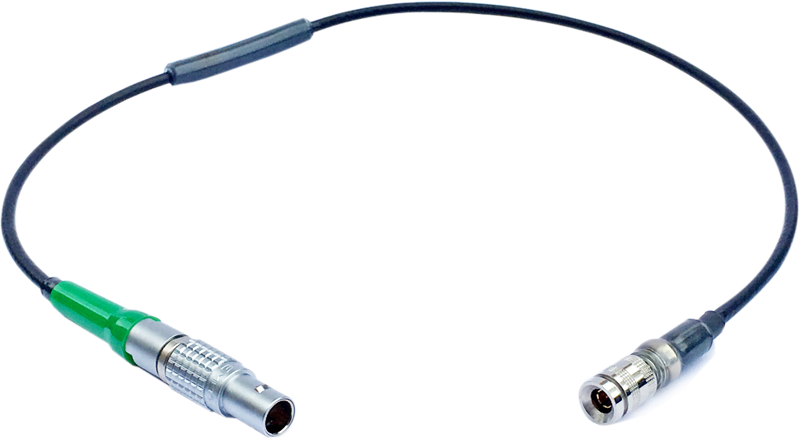
Atomos Cable to take timecode out of the UltraSync ONE
- VAT free purchase available at checkout.
- BrandAtomos
Description
Article no.: 24276
Atomos ATOMXCAB03 – 5-Pin LEMO Timecode Input Cable to send timecode from UltraSync ONE
This Atomos ATOMXCAB03 cable routes timecode out of the UltraSync ONE and into cameras, audio recorders, or other timecode-capable devices. It provides a one-way, directional connection using a 5-pin LEMO on the device end and a BNC DIN connector for the UltraSync ONE LTC port. The cable is color-coded with a green tab to simplify identification in multi-cable setups.
Key Features
- Timecode to Device from UltraSync ONE
- UltraSync ONE DIN BNC Connector
- 5-Pin LEMO Connector for Timecode Device
- Cable Is Color Coded with a Green Tab
Atomos ATOMXCAB03 Overview
This 5-pin LEMO Timecode Input Cable connects directly to the timecode input on compatible devices. On the opposite end, the cable features a BNC DIN connector that plugs into the UltraSync ONE LTC port to pass timecode out of the UltraSync ONE. Because the cable is one-way/directional, it sends timecode from the UltraSync ONE to the connected device rather than transmitting back to the UltraSync ONE.
Additionally, the cable includes a green color tab. This tab helps you quickly identify the correct cable when you have multiple cables or timecode lines in your rig, making setup and troubleshooting faster.
Compatibility
- Atomos UltraSync ONE
- Timecode-compatible devices with 5-pin LEMO input
In the Box
- Atomos 5-Pin LEMO Timecode Input
- Cable for UltraSync ONE (Green)
Typical Use Cases
- Send LTC timecode from an UltraSync ONE master to a camera with a 5-pin LEMO input.
- Provide timecode to an audio recorder or other timecode-capable device that accepts a 5-pin LEMO connection.
- Identify the correct timecode cable quickly in multi-cable setups using the green tab.
Smart FAQ
Question: How does this cable move timecode between devices?
Answer: The cable uses a BNC DIN connector to tap timecode from the UltraSync ONE’s LTC port and delivers it via the 5-pin LEMO connector into a compatible timecode input on your camera or recorder. It is directional, so it sends timecode from the UltraSync ONE to the device.
Question: Is this cable bidirectional or one-way?
Answer: The cable is one-way/directional. It transmits timecode from the UltraSync ONE to the connected device rather than the other way around.
Question: Which devices will work with this cable?
Answer: It is compatible with the Atomos UltraSync ONE and with timecode-capable devices that accept a 5-pin LEMO timecode input. Check your device’s input type to confirm compatibility.
Question: What is the purpose of the green tab on the cable?
Answer: The green tab color-codes the cable to make it easier to identify one specific timecode cable in complex setups, which helps speed up connections and troubleshooting during shoots.