
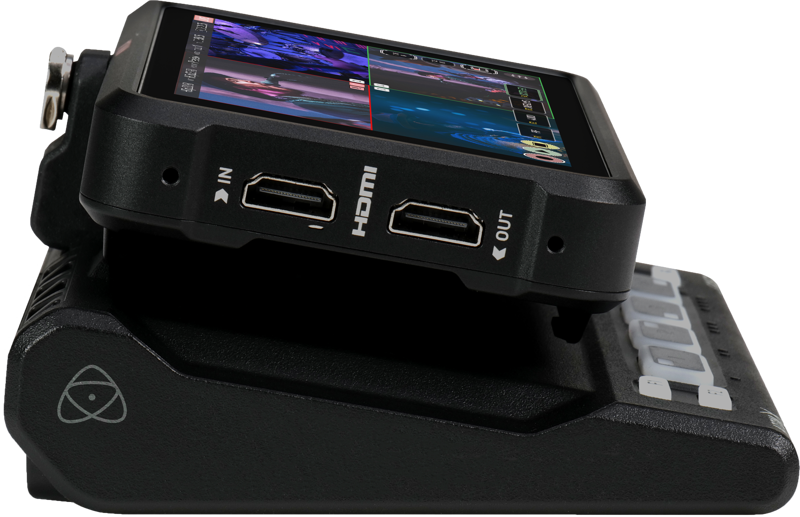
Atomos Ninja CAST - Ninja V 5"""" Monitor + AtomX Cast Bundle
- VAT free purchase available at checkout.
- BrandAtomos
Description
Article no.: 24267
Atomos Ninja CAST - Ninja V 5" HDR Monitor + AtomX CAST Bundle — 4× HDMI Inputs and Stand-alone Switcher
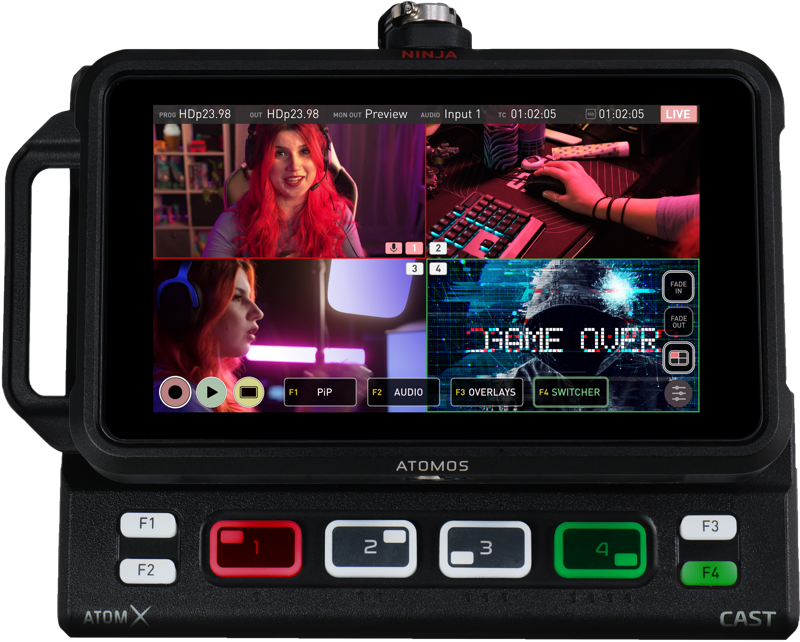
AtomX CAST converts a NINJA V or NINJA V+ into a portable, four-input HDMI switcher with an integrated 5" HDR touchscreen monitor. When combined, the NINJA V and AtomX CAST form the Ninja CAST: a fully functioning stand-alone switcher, multiview monitor and broadcast-quality recorder that does not require a computer to operate.
What the Ninja CAST does
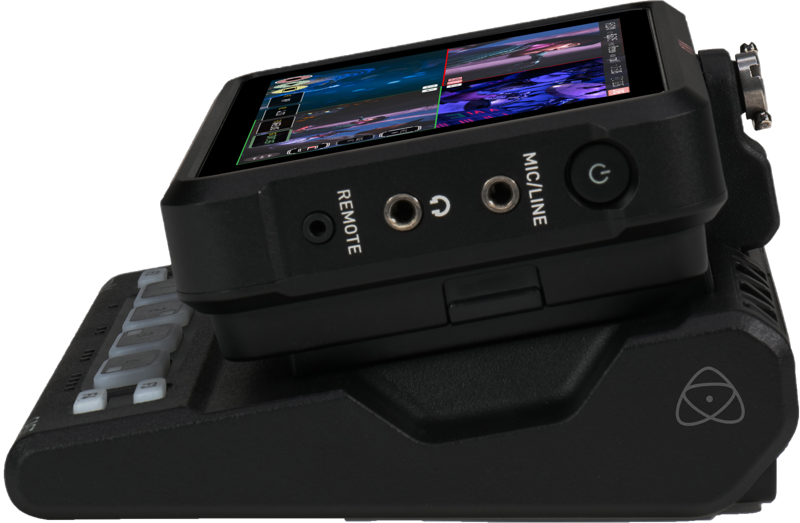
The AtomX CAST expansion docks with the NINJA V/V+ and uses the AtomX port to add multi-input switching. As a result, you get a compact system with 4 HDMI inputs, physical control buttons and a high-quality 5" HDR touchscreen. In practice, this lets you switch live between cameras, record broadcast codecs and monitor multiview outputs—all from a single portable unit.
Broadcast features for everybody
AtomX CAST targets video creators and anyone who wants to produce broadcast-quality multi-camera programs quickly and simply. Furthermore, it works well for online meetings, presentations, remote learning, virtual conferences and corporate videos. Because CAST focuses on ease of use, you do not need to be a video professional to achieve professional-looking results.
Simple switching
You can switch sources using either the touchscreen or the physical buttons. Additionally, the illuminated input buttons and coloured LEDs for Program and Preview status help you operate in dimly lit environments. This combination of touch and tactile controls gives you flexible, reliable control during live productions.
Connect any full HD video source
Attach mirrorless or DSLR cameras, video cameras, computers, game consoles or pre-recorded HDMI content. You can mix and match frame rates up to 60p, and combine interlaced and progressive HD sources. Therefore, you do not need to worry about source synchronization for most HD workflows.
Integrates seamlessly with your computer
With the NINJA V/V+ docked, AtomX CAST connects via USB-C to a computer and appears as a high-quality webcam (UVC). Consequently, it works immediately with applications such as Zoom, Teams and Skype without requiring driver installation. You can add up to four camera inputs to enhance presentations, meetings or live streams with a simple plug-and-play setup.
Integrated monitor and multiview
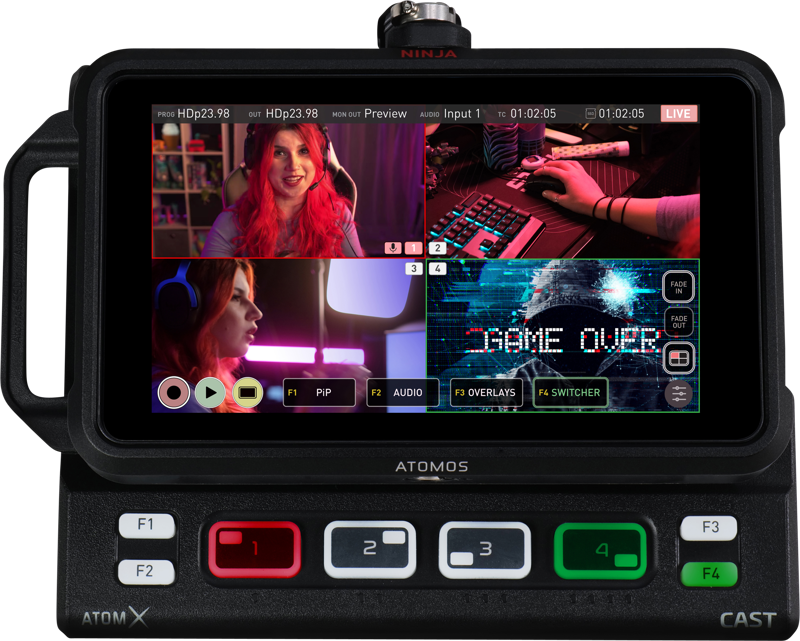
The built-in monitor lets you view incoming signals and program output without adding another display. With the NINJA V/V+ docked, you can use its 5" touchscreen for setup, monitoring and the monitor-assist tools for exposure, focus and image analysis. Then, switch to multiview to see all four inputs at once and monitor audio levels simultaneously.
Enhance your brand and on-screen graphics
AtomX CAST supports logos, mast head graphics and lower-third titles. You can add custom graphics with transparency for sponsor logos and other on-screen information. Use the Ninja touchscreen to configure layouts and brand your content directly on the device.
Picture in Picture
Use the Picture in Picture feature to display two inputs at the same time. Any of the four HDMI inputs can serve as the overlay, and you have controls for size and location of the inset image. For example, show a close-up of a product while displaying your face in the inset during a live explanation.
Configurable and adaptable for different setups
The compact AtomX CAST supports both solo operators and larger teams. Solo creators can carry the Ninja CAST in a small backpack and use it with compact mirrorless cameras. For larger productions, the NINJA V/V+ HDMI output can act as a secondary output for a duplicate program out, crew preview monitoring or connection to a larger multiview display.
Advanced workflow ready
While AtomX CAST functions as a stand-alone switcher, you can also use it with a computer for more advanced video production. In that configuration, the CAST and NINJA V/V+ handle the heavy video processing, reducing load on your computer and lowering the likelihood of software crashes. Add AtomX CAST as a media source in OBS, XSplit or vMix to combine CAST’s hardware switching with those applications’ graphics and scene management.
Broadcast quality switching and recording
The system accepts professional 10bit/4:2:2 inputs and records in broadcast-quality codecs such as Apple ProRes and Avid DNx. As a result, you can capture edit-ready files suitable for post-production and broadcast workflows.
Versatility built in
AtomX CAST can stream to your preferred streaming host, output a broadcast-quality signal to local displays or digital signage, and record using high-quality, edit-ready codecs. In short, it covers streaming, local output and recording simultaneously when needed.
Stand out from the crowd
Use Ninja CAST with a proper camera and lens to achieve a cinematic shallow depth of field and a look that differs from typical webcam video. Pay attention to lighting, camera angles and sound to create professional-quality productions. Even older HD camcorders with HDMI output can serve as inputs for a multi-camera setup, so you may already have suitable cameras.
Key Features
- WebCAST – Plug and Play UVC connection to your favourite software such as Zoom, MS Teams, Skype, OBS and more
- BroadCAST – quality switching and recording in ProRes, DNx and option for h.265
- MultiCAST – Simultaneously Record, Stream and output to local displays. Separate HDMI outputs – one for dedicated program out and one multi-function output for Multi-view, Preview or Program
- Overlay custom graphics, logos, lower thirds and content branding and use Picture in Picture effect for any combination of inputs
- User friendly design incorporating both the touchscreen of the Ninja V / Ninja V+ with the physical buttons of the dock for easy use and deployment in a compact solution.
Below are brief explanations of each key feature to clarify how they apply in real use:
- WebCAST: Casts as a UVC webcam so conferencing and streaming apps accept the Ninja CAST as an input with no extra drivers.
- BroadCAST: Supports broadcast-grade recording formats such as ProRes and DNx, with an option for h.265 for compatible workflows.
- MultiCAST: Lets you record, stream and output to local displays at the same time. It provides separate HDMI outputs so one can be a dedicated program out and the other can switch between multi-view, preview or program.
- Overlay graphics: Adds branding elements, logos and lower-thirds, and lets you use picture-in-picture to combine inputs creatively.
- User friendly design: Combines the Ninja V/V+ touchscreen controls with the AtomX CAST’s physical buttons for an intuitive control experience on set or in the field.
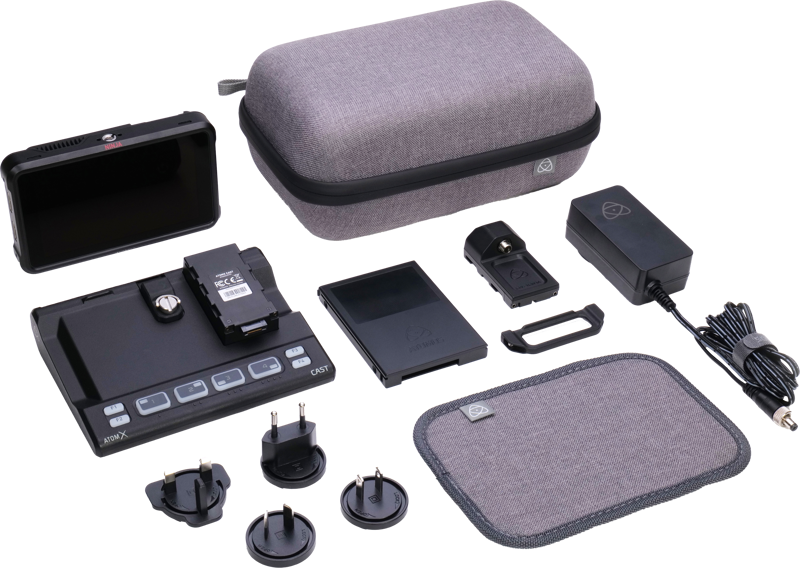
In the box
- AtomX CAST
- Ninja V unit
- EVA style hard case, Neoprene Sleeve Case
- 1x Master Caddy II drive caddy
- 1x DC locking connector
- 1x AtomX SSD mini handle
- 1x USB-C Cable
FAQ
question: Will Ninja CAST work with my video conferencing apps right away?
Answer: Yes. When the NINJA V/V+ is docked in AtomX CAST and connected via USB-C, the system appears as a UVC webcam. Therefore, it works with Zoom, Microsoft Teams, Skype and similar apps without driver installation.
question: Can I mix different camera frame rates and formats?
Answer: Yes. AtomX CAST accepts and mixes HD sources up to 60p and supports both interlaced and progressive signals, so you can combine different camera types and frame rates for live switching.
question: Do I need a computer to stream or record?
Answer: No. Ninja CAST operates as a stand-alone switcher and recorder. However, you can also connect it to a computer via USB-C to use it as a media source in streaming applications like OBS, XSplit and vMix for advanced graphics and scene control.
question: What recording formats are supported?
Answer: The system records in broadcast-quality codecs such as Apple ProRes and Avid DNx, and it offers an option for h.265. These formats provide edit-ready files for post-production.
question: How many HDMI inputs and outputs are available?
Answer: AtomX CAST provides four HDMI inputs for multi-camera setups. It also offers separate HDMI outputs: one for a dedicated program out and another multi-function output that can be set to Multi-view, Preview or Program.
question: Can I brand my live stream with overlays?
Answer: Yes. You can overlay custom graphics, transparent logos, mast heads and lower-thirds directly on the Ninja touchscreen, enabling on-device branding and sponsor placement during live productions.