
Datavideo DAC-70 Multi format up/down/cross converter
- VAT free purchase available at checkout.
- BrandDatavideo
Description
Article no.: 24887
Datavideo DAC-70 Multi-format Up/Down/Cross Converter – Scales and Outputs to 2x SDI + 1x HDMI
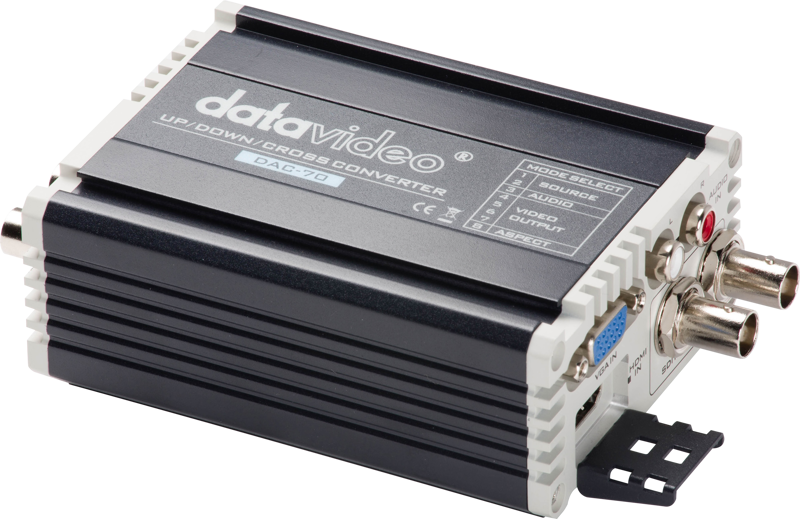
The Datavideo DAC-70 converts, scales and distributes video signals. It supports a wide range of video resolutions from SD up to Full HD. As a multi-format up/down/cross converter, it lets you connect otherwise incompatible video devices and deliver a consistent output to three ports simultaneously.
Key features and compatibility
The DAC-70 functions as a versatile scaler and converter. It accepts multiple input formats and produces scaled outputs suitable for different downstream devices. In practice, this means you can connect legacy SD sources as well as HD sources and obtain the desired resolution and format at the outputs.
Audio handling
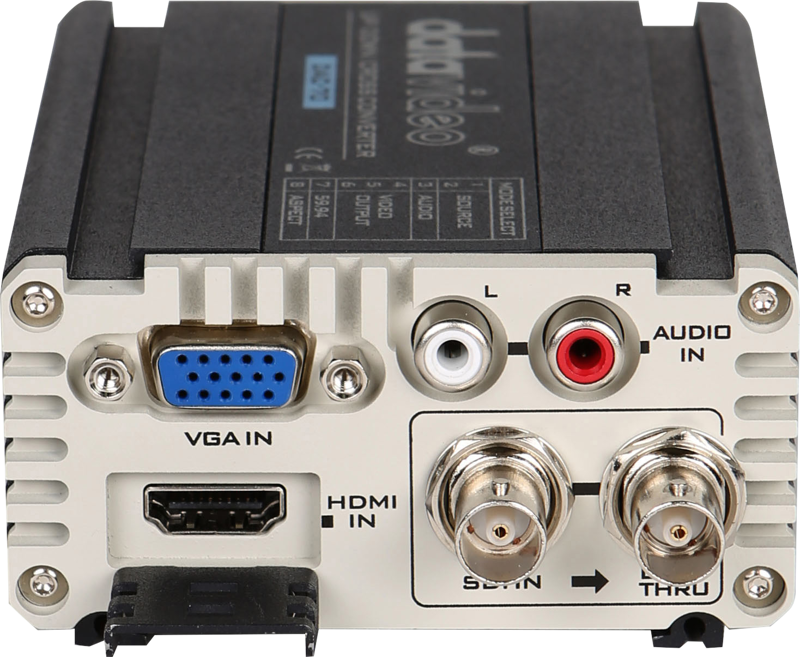
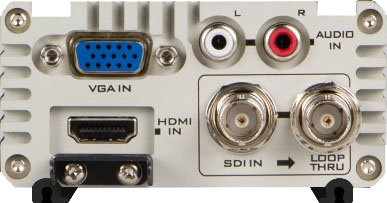
You can either keep the embedded audio that travels with the video signal or replace it. The DAC-70 provides RCA inputs that let you feed external audio into the converted stream. Thus, you retain flexibility when managing audio sources for live or recorded workflows.
Image adjustment via DAC Center Utility
Use the DAC Center Utility to fine-tune the video output. Simply connect a PC to the DAC-70 using the USB port and adjust brightness, contrast, hue and saturation. This lets you match output parameters to your display or downstream equipment without guessing.
Built-in distribution amplifier
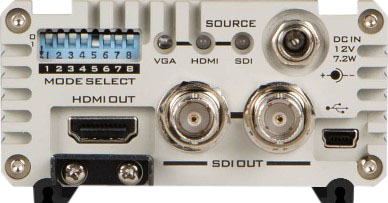
The unit always scales and converts the input, then outputs the result to three ports at once: two SDI outputs and one HDMI output. Therefore, you can drive multiple monitors or recorders simultaneously without adding extra distribution hardware.
Rugged metal design for longer operation
Datavideo built the DAC-70 in a rugged aluminum alloy housing. The metal enclosure supports low heat dissipation, and consequently the unit is suitable for long hour operation in a normally ventilated environment. This makes it appropriate for studio, field, or event use where reliability matters.
What’s in the box
- 1 x DAC-70
- 1 x AD switch DC 12V
- 1 x DIP switch Pin 8 label
Typical use cases
- Connecting older SD gear to modern HD monitors or recorders.
- Feeding multiple destinations at once — for example a recorder (SDI), a confidence monitor (SDI) and a display (HDMI).
- Replacing embedded audio with an external feed via RCA inputs when you need a separate audio source.
- Tweaking image parameters from a PC using the DAC Center Utility for precise color and exposure matching.
FAQ
Question: Which output formats does the DAC-70 provide?
Answer: The DAC-70 outputs to two SDI ports and one HDMI port, and it always scales and converts the input signal to those outputs simultaneously.
Question: Can I change the audio source on the DAC-70?
Answer: Yes. You can preserve embedded audio or replace it using the RCA audio inputs to supply an external audio source.
Question: How do I adjust video settings like brightness or saturation?
Answer: Connect a PC to the DAC-70 via USB and use the DAC Center Utility to adjust brightness, contrast, hue and saturation.
Question: Is the DAC-70 suitable for extended operation in field conditions?
Answer: The DAC-70 has a rugged aluminum alloy housing and low heat dissipation, making it suitable for long hour operation in a normally ventilated environment.
Question: What items are included with the DAC-70?
Answer: The package includes the DAC-70 unit, an AD switch DC 12V and a DIP switch Pin 8 label.