
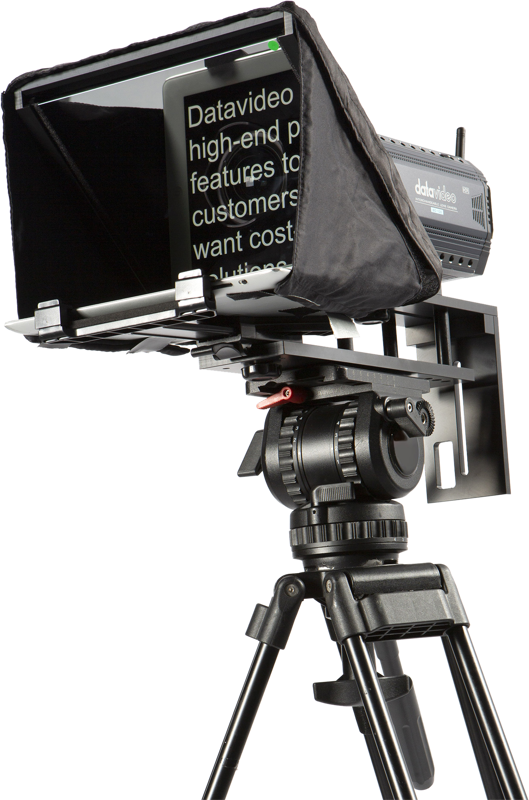
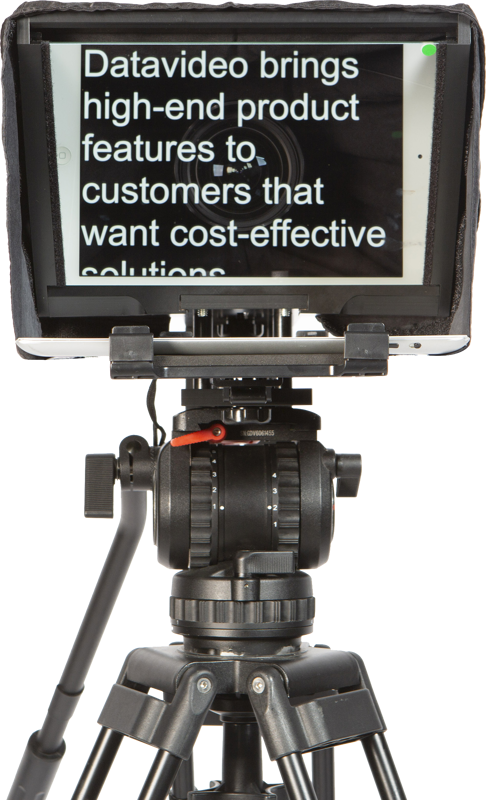
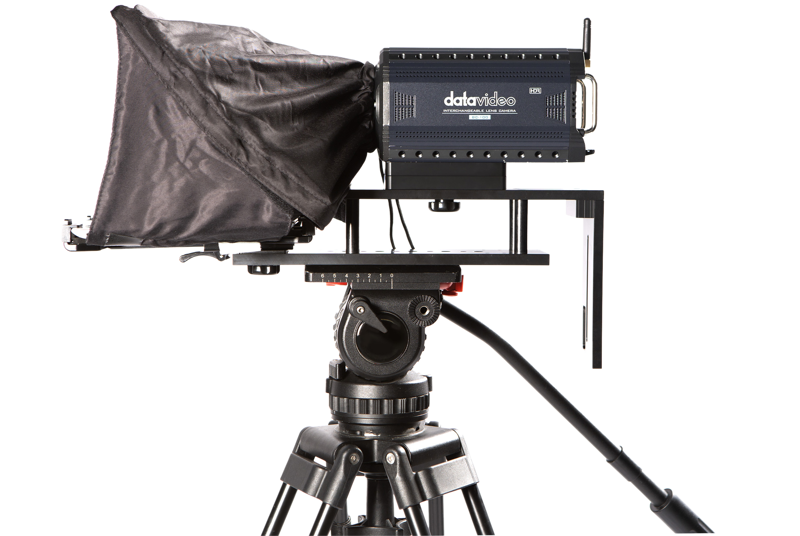
Datavideo TP-300 Universal prompter 7""""-10"""" w/o rem
- VAT free purchase available at checkout.
- BrandDatavideo
Description
Article no.: 24842
Datavideo TP-300 Universal Prompter – tablet teleprompter supporting screens up to 11.6"
The Datavideo TP-300 is a universal teleprompter solution designed for iOS and Android tablets. It turns a tablet into a practical on-camera prompter and works with Datavideo’s dv Prompter Plus application for script preparation and playback.
Easy script control with the dv Prompter Plus app
Use Datavideo’s dv Prompter Plus app on an Apple or Android device to prepare scripts or cue sheets. The app lets you set automatic scrolling speed and control playback from a remote controller. As a result, you can focus on delivery while the script advances at a steady pace.
Tablet compatibility and mounting
The TP-300 accepts tablet screens and is presented as a universal prompter for tablets in the 7"–10" range while explicitly supporting screens up to 11.6". You can mount your tablet on or off-camera, depending on your rig and shooting needs, to complete a professional video setup.
Optional remote control (WR-500)
Datavideo offers the WR-500 remote as an optional accessory. The WR-500 can be used either wired or wirelessly to control the teleprompter and the dv Prompter Plus app, giving you flexible options for cueing during recordings.
Use cases
- Prepare scripts and cue sheets on an iOS or Android tablet.
- Convert a small tablet into a low-cost teleprompter for interviews, presentations, or web video.
- Control scrolling automatically via the app or manually with an optional wired/wireless remote.
- Integrate the tablet-mounted or off-camera device into an existing TP-series teleprompter rig for a professional solution.
Technical specifications
| Specification | Details |
|---|---|
| Product | Datavideo TP-300 Universal teleprompter |
| Compatible devices | iOS and Android tablets |
| Typical marketed tablet sizes | 7"–10" |
| Maximum supported screen size | Up to 11.6" |
| Remote control (optional) | Datavideo WR-500 (wired or wireless) |
| Prompter app | dv Prompter Plus for Apple and Android devices |
| Use | Tablet mounted on or off-camera with TP-series teleprompter rigs |
Frequently Asked Questions
-
Question: Which tablets work with the TP-300?
Answer: The TP-300 works with iOS and Android tablets and lists typical tablet sizes as 7"–10", while it supports screens up to 11.6".
-
Question: Do I need a remote to control the prompter?
Answer: No. You can control scripts using the dv Prompter Plus app, which offers automatic scrolling. However, Datavideo’s WR-500 remote is available optionally for wired or wireless manual control.
-
Question: Can I use the tablet off-camera?
Answer: Yes. The TP-300 supports mounting the tablet on or off-camera, allowing you to build a professional rig that fits your shooting style.
-
Question: What does the dv Prompter Plus app provide?
Answer: The dv Prompter Plus app lets you prepare scripts and cue sheets, set automatic scrolling speed, and work with the WR-500 remote for convenient control during recordings.