
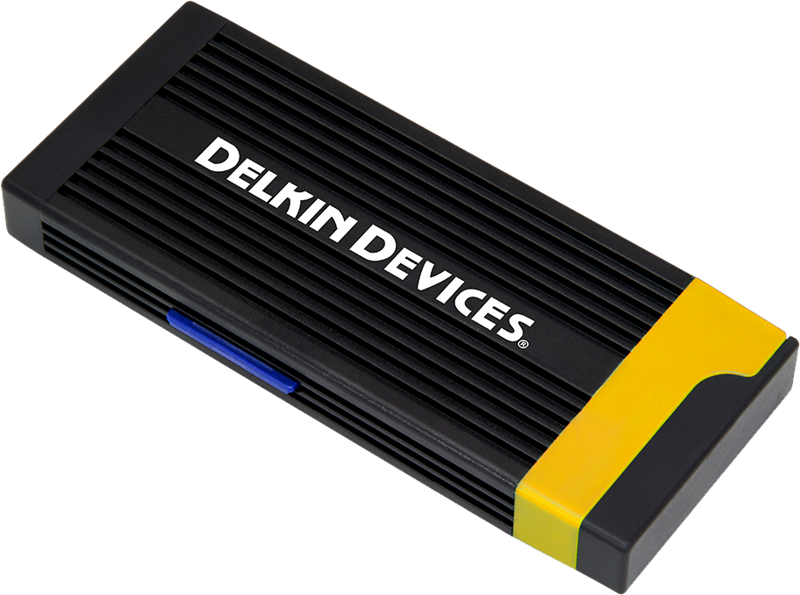
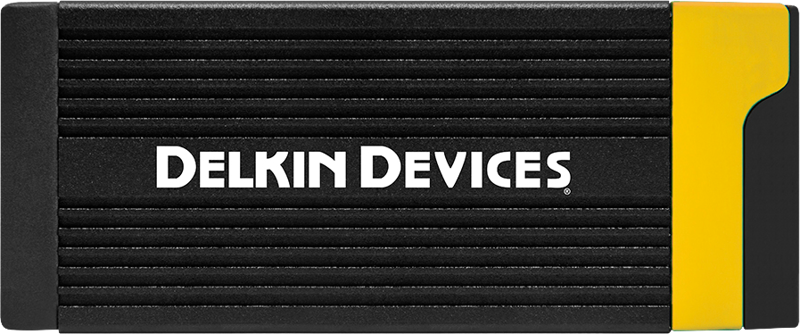
Delkin Cardreader CFexpress Type A & SD (Type C to C & Typc C to A Cables)
- VAT free purchase available at checkout.
- BrandDelkin
Description
Article no.: 24997
Delkin CFexpress Type A & SD Card Reader – USB 3.2 10 Gb/s with Dual Cables (USB-C to A & USB-C to C)
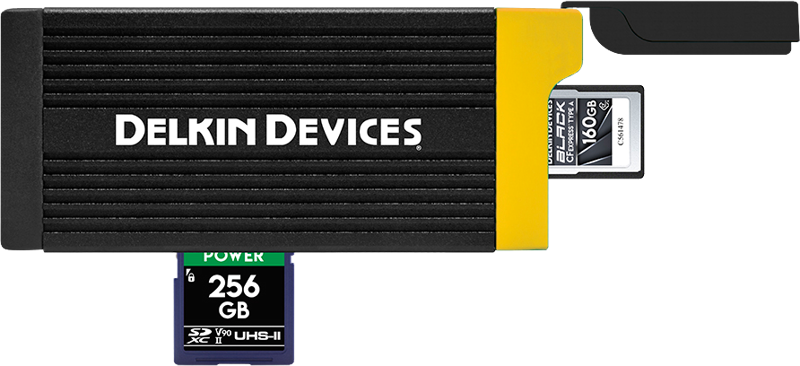
The Delkin USB 3.2 CFexpress Type A & SD UHS-II Memory Card Reader combines a compact design with high-speed transfers. It supports both CFexpress Type A and SDXC UHS-II cards, and includes two connection cables to fit common computer ports. The reader is built for photographers and videographers who need fast offloads and simple, portable storage for one CFexpress Type A card.
Key Features
- Card support: Accepts one CFexpress Type A card and one SDXC UHS-II card.
- Dual cables included: Ships with both a USB-C to USB-A cable and a USB-C to USB-C cable so you can connect to a wide range of computers.
- High-speed interface: USB 3.2 Type-C interface supporting up to 10 Gb/s on the CFexpress Type A slot.
- Built-in card storage: Internal storage for one CFexpress Type A card plus a rubberized end cover to protect the connector and stored card.
- Cross-platform compatibility: Works with Windows and Mac systems.
- Plug & Play: No drivers or external power required for basic operation.
Next-Generation Speed for Professional Files
The reader uses a USB 3.2 interface that supports transfer speeds up to 10 Gbps on the CFexpress Type A slot. This bandwidth lets you offload large files—such as high-resolution RAW images and 8K, 4K, HD, and 3D video—more quickly than with older USB standards. The SD slot operates at USB 3.1 speeds and supports SDXC UHS-II cards. Overall, the reader helps reduce transfer times and streamlines your workflow when using compatible high-performance cards.
Note: XQD, CFexpress Type B, CFast 2.0, and CompactFlash memory cards are not compatible with this reader.
Durable Construction and Protection
Delkin built the reader from anodized aluminum to provide stronger material durability and longer life. The design includes multiple heat sinks to help manage temperatures during sustained transfers. In addition, the reader offers internal storage for one CFexpress Type A card and ships with a rubber end cover to protect against bumps, impact, water exposure, dust, and other debris.
Compact and Travel-Friendly Design
The reader measures 4.5 inches long and weighs less than 1/4 lb., making it easy to carry in a backpack, camera bag, laptop case, or small pouch. Because of its small size and included cables, you can access and transfer files in the field without carrying extra adapters.
Simple Plug & Play Operation
Connect the reader directly to any USB-A or USB-C port using the supplied cables and access your files immediately. The device requires no drivers or external power for standard use. It is also backwards compatible with USB 3.0, 2.0 and 1.1 ports, though transfer speeds will be limited by those older interfaces.
| Specification | Details |
|---|---|
| Memory Card Slots | 1 x CFexpress Type A; 1 x SDXC (UHS-II [312 MB/s]) |
| Host Connector | 1 x USB Type-C (Female) |
| Host Computer Interface | USB 3.2 (10 Gb/s) [CFexpress Type A Slot]; USB 3.1 (5 Gb/s) [SD Slot] |
| Bus Power | USB |
In the Box
- (1) Delkin Devices USB 3.2 CFexpress Type A & SD UHS-II Memory Card Reader
- (1) USB Type-C to Type-A Cable
- (1) USB Type-C to Type-C Cable
- (1) Limited 5 Year Warranty
FAQ
Question: Which cards can I use with this reader?
Answer: The reader accepts one CFexpress Type A card and one SDXC UHS-II card. It does not support XQD, CFexpress Type B, CFast 2.0, or CompactFlash cards.
Question: What cables are included and how do I connect to my computer?
Answer: The package includes a USB-C to USB-A cable and a USB-C to USB-C cable. Use the cable that matches your computer’s port to connect the reader’s USB Type-C connector to your machine.
Question: How fast will transfers be when using the reader?
Answer: The CFexpress Type A slot uses USB 3.2 and supports up to 10 Gb/s, allowing much faster transfers compared to USB 3.0. The SD slot operates over USB 3.1 and supports SDXC UHS-II cards. Actual speeds depend on the card performance and your computer’s port capabilities.
Question: Is any software or driver installation required?
Answer: No. The reader is plug & play and does not require drivers for basic use. It draws power over USB and is backwards compatible with older USB ports, though at reduced speeds.