
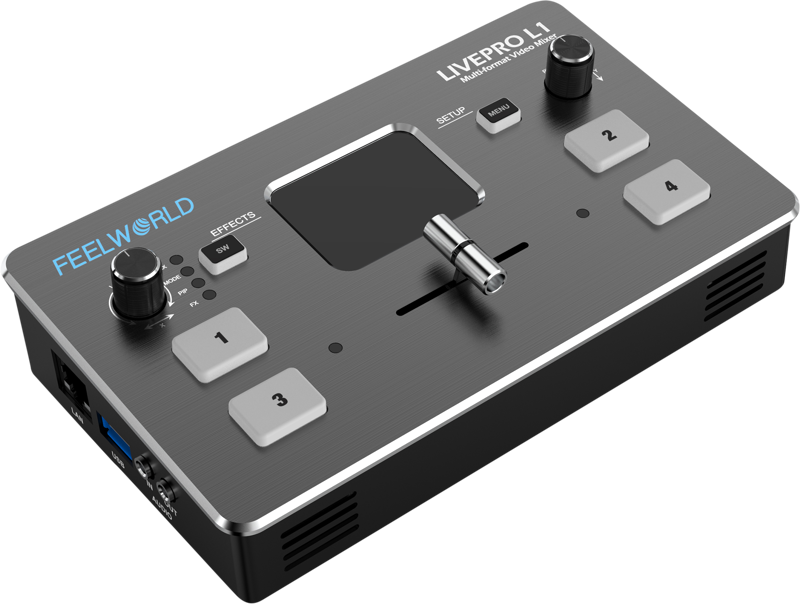
Feelworld LIVEPRO L1 MULTI-FORMAT VIDEO MIXER
- VAT free purchase available at checkout.
- BrandFeelworld
Description
Article no.: 25029
Feelworld LIVEPRO L1 MULTI-FORMAT VIDEO MIXER – 4× HDMI Inputs for Real-Time Multi-Camera Live Streaming
The Feelworld LIVEPRO L1 is a compact multi-format video mixer designed for real-time multi-camera production and live streaming. It accepts four HDMI camera or device inputs and provides integrated USB3.0 UVC output for direct streaming, plus a range of control, preview and audio options to simplify single-operator or small-team workflows.
- 2” TFT display on board to live preview 4 inputs
- Auto cut and manual switch (T-Bar)
- USB capture video complying with UVC for live streaming
- Audio offers embedded or external source to select
- Support switch between 6-picture PVW and PGM to HDMI out
- Support PIP
- 14 transition effects on T-Bar
- Licensed features including DSK, PTZ control etc.
- Control by PC or Smart phone (via APP)
Low Cost, Multi Camera Live Production
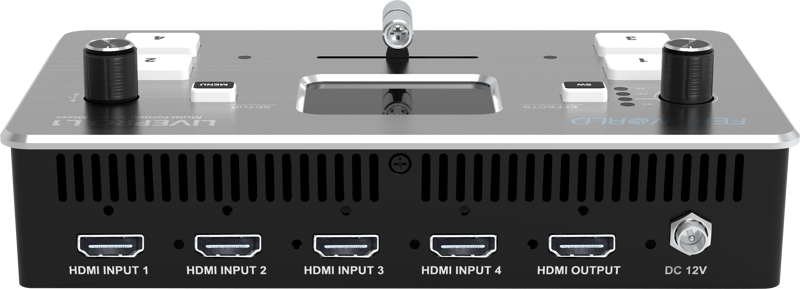
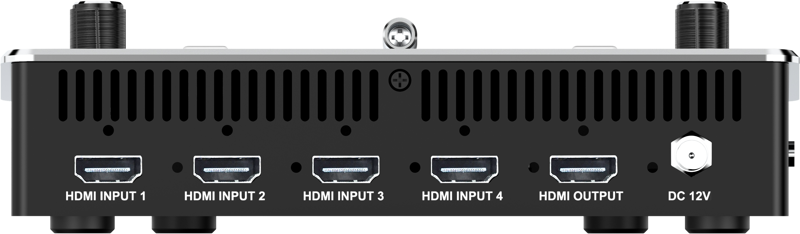
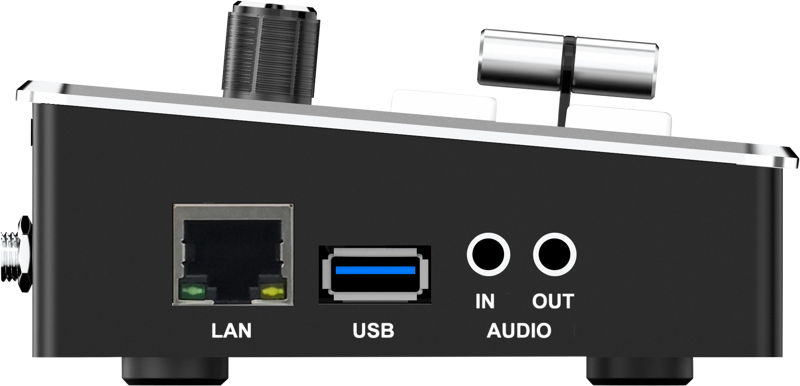
The LIVEPRO L1 supports four HDMI inputs and one HDMI output, with each HDMI port supporting 1080p signals. It offers USB 3.0 UVC capture for plug-and-play streaming to a computer and includes a LAN port for control and firmware upgrades. For audio it provides two interfaces: one input and one output. These features make it straightforward to build professional multi-camera productions without complex routing or converters.
Use any of the HDMI inputs for cameras, a computer for slides or media playback, or a game console. The USB 3.0 connection presents the switcher to your computer as a standard webcam device, so third-party streaming software such as OBS can stream any chosen input to platforms like YouTube, Facebook, Tik Tok and more.
Exquisite and Flexible Control Panel
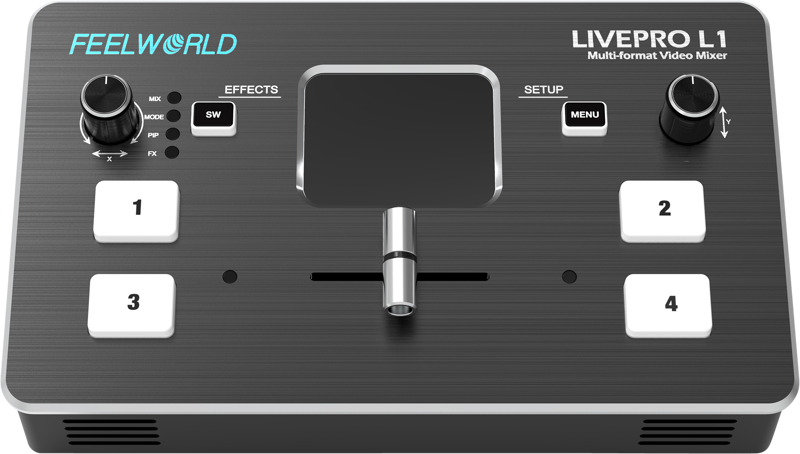
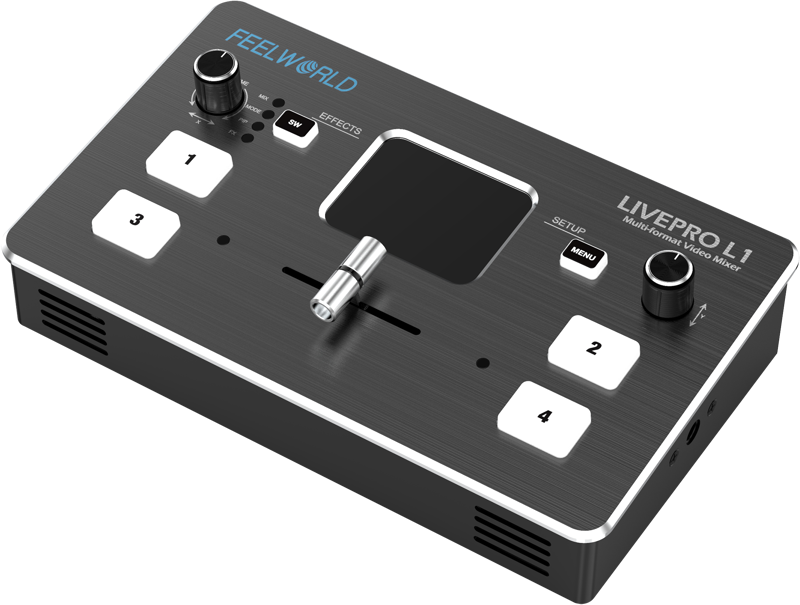
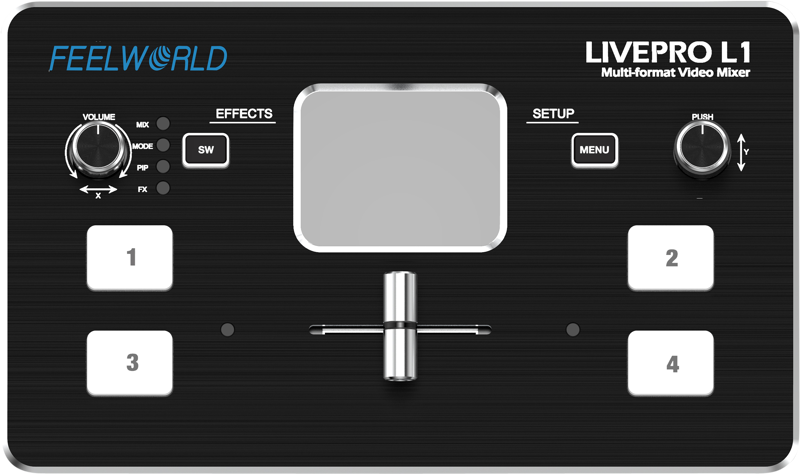
The control panel is compact but intentionally laid out. Four input-selection buttons let you choose sources; a green light indicates a preview selection and the light turns red once the source is taken via the T-Bar. A Menu button accesses setup options, while the SW button cycles through functions such as mixing, scaling and transition time. Two rotary knobs adjust audio volume and menu settings, and they can be used together to control PTZ camera angles where supported.
The built-in 2” TFT screen previews all four HDMI inputs and aids in menu navigation and monitoring so you can operate with confidence from a single compact unit.
Compact and Lightweight Design
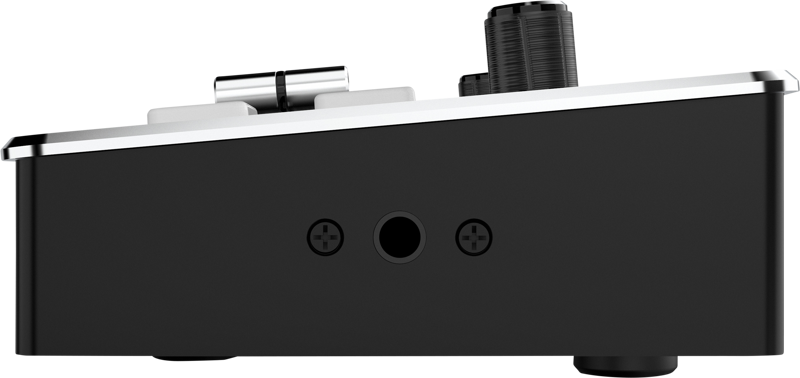
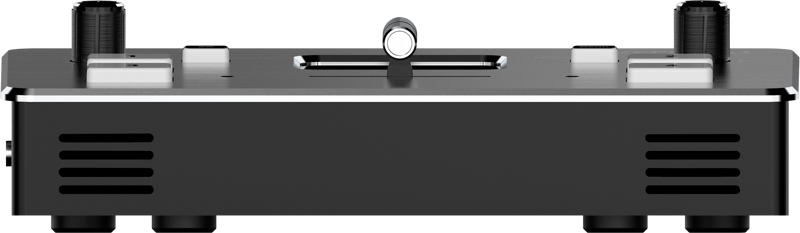
The LIVEPRO L1 is a mini switcher built for mobility. It fits into equipment cases and camera bags and includes a screw tap for standard video mounts so you can attach it to a tripod or rig to keep it accessible but out of the way. The light weight and small footprint make it suitable for on‑location shoots, small studios, education, and mobile streaming setups.
Multi-Application, One Solution
The LIVEPRO L1 focuses on simplicity and core features to meet common live production needs. With an intuitive interface, built-in effects, and a tripod-mount screw hole, a single operator can run live events, stream multi-signal productions, or manage small field broadcasts without large crews or complex setups.
Faster Video Production, Plus Live Streaming
Live switching produces finished programs quickly and allows simultaneous streaming to a global audience. The USB 3.0 output behaves like a built-in webcam for maximum compatibility with streaming and conferencing apps. Combine up to four cameras for wide and close-up coverage, or mix camera feeds with computer sources such as PowerPoint, video clips or websites. All switching happens in real time so you can stream directly to social platforms and conferencing tools.
Flexible T-Bar Switching
The T-Bar supports 14 transition effects and smooth signal switching. In T-Bar mode, press a green input button to select a source (the button flashes), then move the T-Bar to execute the transition; the source becomes program output and the button turns red. This workflow suits small outdoor scenes, sports, courseware production and other live switching situations. Note: When the T-Bar is not in the end position, no source can be selected.
To Embed or De-embed? Why Not Both?
The LIVEPRO L1 can both embed analog audio into HDMI and extract audio from HDMI. Choose HDMI-embedded audio or external audio for output. When embedded audio is selected, program (PGM) picture sound outputs from HDMI out while preview (PST) picture sound outputs from the audio out. When external audio is selected, the external audio source is routed to the outputs. This flexibility helps integrate the switcher with external audio mixers or simple camera rigs.
6-Picture PVW and PIP Support
Connect an external expansion monitor and the switcher can preview a 6-picture layout showing PGM, PST and the four HDMI inputs with audio meters. The unit also supports picture-in-picture (PIP) and provides nine PIP layouts that you can choose for multi-camera or multi-source presentations—useful for larger field productions and events.
USB 3.0 Live Streaming — Plug and Play
The USB 3.0 output is UVC-compliant and appears as a webcam source to computers. That guarantees broad compatibility with streaming and conferencing software without special capture drivers. Use OBS, AMCap, Potplayer, Tencent Conference, Yealink, Zoom, or any platform that accepts a webcam input to stream in 1080p from the switcher.
Multiple Application Scenarios
The LIVEPRO L1 suits many live situations including sports events, e-sports, business presentations, weddings, interviews, education and training. Its compact form factor and versatile input options make it adaptable to both fixed and mobile workflows.
Add Exciting Video Effects
Use the SW button to open the transition effect menu, turn the knob to select an effect and press to confirm. The menu includes an instant cut option and other effects such as mix and dip. You can set transition durations in the MODE menu from 0.5s to 5.0s and enable PIP mode for layered compositions.
PC Controlling and Remote Operation
Connect the LAN port to a computer and control the switcher remotely using the XPOSE software. The software mirrors the switcher’s operation, enabling a control-room workflow where the operator can be separated from the performance area. You can also add multiple control panels simultaneously for larger setups.
| Specification | Detail |
|---|---|
| Display | 2” TFT display for live preview of 4 inputs |
| HDMI Inputs | 4 × HDMI inputs (support 1080p) |
| HDMI Output | 1 × HDMI output (support 1080p) |
| USB | USB 3.0 UVC capture (appears as webcam for streaming) |
| LAN | LAN port for control and firmware upgrades |
| Audio Interfaces | 2 interfaces: one input and one output; selectable embedded or external audio |
| T-Bar | Manual T-Bar with 14 transition effects |
| Preview / Program Layout | Supports 6-picture PVW and PGM preview to HDMI out when external expansion screen is connected |
| PIP | Support for PIP with 9 layout options |
| Licensed Features | Includes DSK and PTZ control support |
| Control | Control via PC (XPOSE) or smartphone app |
| Mount | Screw tap for standard video mounts / tripod attachment |
In the box:
- Video Switcher LIVEPRO L1
- 1.5A Adapter
- Operation Manual
FAQ
question: How do I stream the LIVEPRO L1 to YouTube or other platforms?
Answer: Connect the LIVEPRO L1 to your computer via the USB 3.0 port. The switcher appears as a UVC webcam, so streaming software like OBS or platform-specific apps can select it as the video source and stream to YouTube, Facebook, Tik Tok and other services in 1080p.
question: Can I use external audio and HDMI-embedded audio at the same time?
Answer: The unit lets you choose between HDMI-embedded audio and an external audio source. When embedded audio is selected, program audio comes from HDMI out and preview audio from the audio out; when external audio is selected, the external source is routed accordingly. This provides flexible routing for simple recordings or integration with dedicated audio mixers.
question: Is remote control possible from a PC or a control room?
Answer: Yes. Use the LAN port and the XPOSE control software on a computer to operate the switcher remotely. The software mirrors the hardware controls so you can manage switching, transitions and settings from another room. You can also add multiple panels for expanded control.
question: How many camera angles can I preview and switch between on the unit?
Answer: The built-in 2” TFT displays a live preview of the four HDMI inputs. If you connect an external expansion monitor, you can preview a 6-picture layout that shows program (PGM), preview (PST) and the four inputs, including audio meters.
question: What transition and effect options does the T-Bar offer?
Answer: The T-Bar supports 14 transition effects and manual switching. You can also select cutting and mixing modes, set transition durations between 0.5 and 5.0 seconds, and enable PIP modes for layered presentations.
question: Is the switcher suitable for single-operator live events and small productions?
Answer: Yes. The compact form factor, tripod mounting option, intuitive controls and built-in effects are designed for single operators or small teams handling events like sports, education, weddings, interviews and business presentations.
question: What is included with the LIVEPRO L1?
Answer: The package includes the LIVEPRO L1 video switcher, a 1.5A adapter and an operation manual so you have the essentials to get started quickly.