
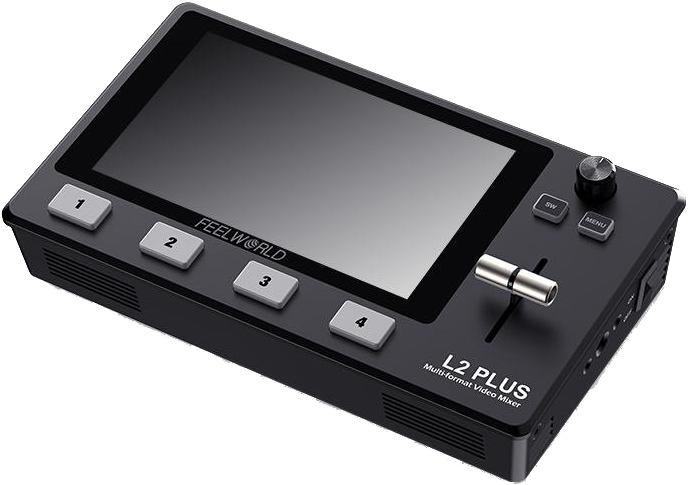
Feelworld Video Mixer L2 PLUS Multi Camera
- VAT free purchase available at checkout.
- BrandFeelworld
Description
Article no.: 25050
Feelworld Video Mixer L2 PLUS – 5.5" Touchscreen Multi-Camera Live Switcher with PTZ Camera Control
FEELWORLD L2 PLUS is a full-feature, portable multi-camera live production switcher. It combines a 5.5-inch full HD IPS touch screen with USB 3.0 live streaming, PTZ camera control, chroma key and dedicated audio I/O to deliver broadcast-style multi-camera programs from a compact unit.
Key features at a glance
- 5.5-inch full HD IPS screen, provides real picture
- Touch screen operation, easy to use
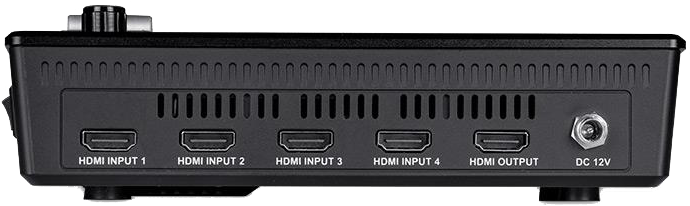
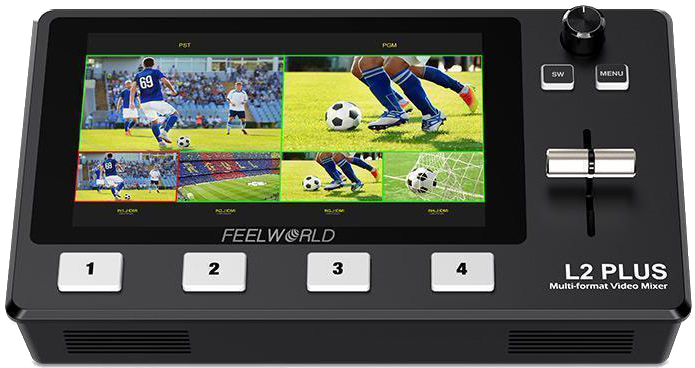
- Real-time 6-picture preview (4 inputs sources + PST preview + PGM output picture)
- USB 3.0 fast to live streaming
- PTZ camera control (Up to 8 cameras)
- Chroma key, LOGO overlay
- T-Bar easily switch the transition effects and signal sources
- 15 transition effects and 9 PIP modes, the live picture more vivid
- Audio offers AFV or Line In mode
- Remote control via PC/smartphone APP
Each bullet above reflects a built-in capability of the L2 PLUS. The combination of touchscreen and physical controls provides multiple ways to operate the switcher, while USB 3.0 and HDMI I/O make integration with computers and external displays straightforward.
Full feature multi-camera live production
L2 PLUS serves video creators and teams who want to produce broadcast-quality multi-camera programs quickly and from varied locations. It supports live streaming to social platforms and conferencing software via its USB 3.0 webcam output. You can also use it for on-site presentations, interviews and remote business broadcasts while controlling cameras and overlays directly from the unit.
5.5" large LCD touch screen
The built-in 5.5" touch display shows four input sources, a PST preview and the PGM output simultaneously for real-time monitoring. You do not need an external monitor to see all key program and preview feeds. Tap the menu icons to enter settings, tap an input to switch signals, long-press to toggle full-screen PGM, and use PST presets to switch A/B layers. This simplifies live operation and reduces setup complexity.
Flexible control panel
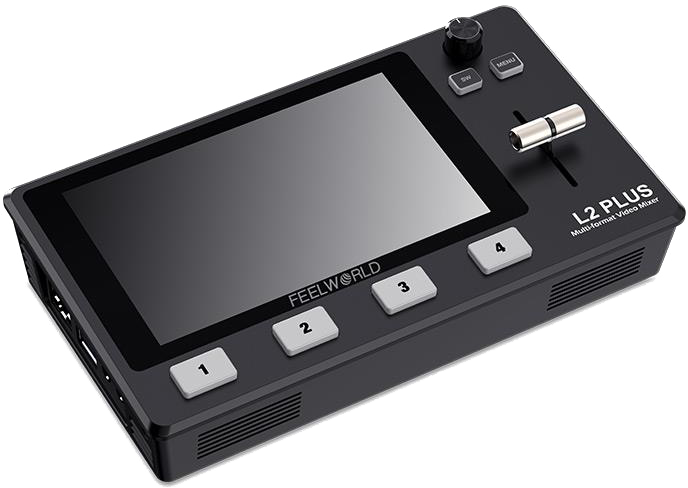
Use the touch screen or the physical controls on the front panel. The unit includes MENU and SW function buttons, a rotary knob for menu selection, and illuminated 1–4 signal buttons for clear operation in low light. The T-Bar lets you perform manual transitions between sources for smooth, tactile control during live production.
Built-in chroma key and logo overlay
L2 PLUS includes an advanced chroma key for green or blue screen keying. Use this function to create virtual studios or remove backgrounds during interviews and presentations. The LOGO overlay allows title and graphic overlays to appear on the program output, helping you brand and style broadcasts.
PTZ camera control
The switcher can control up to 8 cameras that support the VISCA protocol. You can move, zoom and focus connected PTZ cameras and store camera positions and zoom levels for quick recall. This feature suits video conferences, education live streams, church services and sports events where remote camera operation is required.
Note: When operating the camera, L2 PLUS must remain in the Control interface; otherwise PTZ camera control will not function.
Faster video production and live streaming
L2 PLUS outputs via USB 3.0 as a webcam source, so you can connect it to any computer and use popular streaming or conferencing software. This makes it compatible with OBS, Skype, Zoom, Tencent Conference, Yealink and the like. All switching happens in real time, enabling simultaneous streaming to platforms such as YouTube, Facebook, TikTok and others. The unit accepts up to four HDMI inputs at full 1080HD resolution for multiple camera angles.
1080P high quality image
The L2 PLUS supports input and output resolutions up to 1080P@60. This ensures your live broadcasts maintain a high-definition image quality for clearer and more engaging streams.
Audio input and output
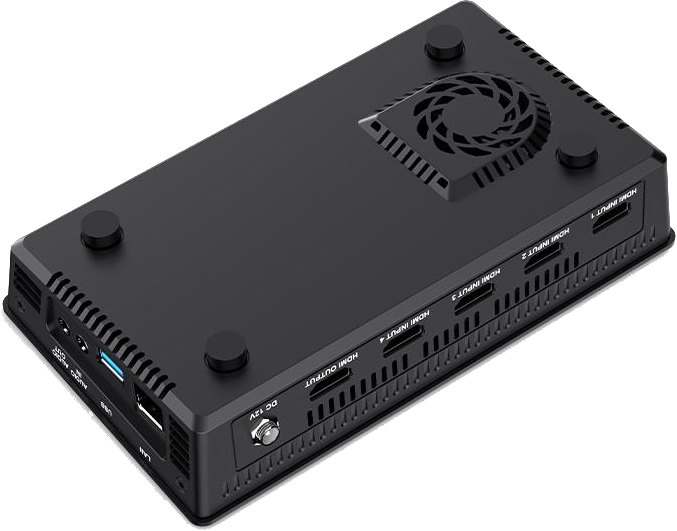
The switcher provides a standard 3.5mm microphone input (Audio In) for an active (self-powered) microphone, which is useful for interview setups that need direct mic input. It also supports AFV or Line In modes for flexible audio handling. A 3.5mm audio output allows connection to external speakers or headphones to monitor the main output audio in real time or to route audio to external devices.
HDMI Out with multi-view and PIP
Use the HDMI output to connect an external monitor for simultaneous monitoring of PGM, PST and the four HDMI inputs. The multi-view shows the audio level indicators and supports Picture-in-Picture configuration. This is useful for larger field productions or when a second monitor is required for operators or review.
Built-in cooler with adjustable fan speeds
The unit contains a built-in cooler and offers three fan speed settings to help manage operating temperature. Adjustable fan speeds reduce the risk of overheating during prolonged live broadcasts or in warm environments.
Compact design, multiple applications
L2 PLUS packs full switching functionality into a compact, lightweight body. A standard 1/4" screw hole lets you mount the switcher on a tripod for flexible positioning. Its portability and comprehensive feature set mean a single operator can handle live streaming and multi-signal control in many scenarios.
Professional broadcast transition effects
The switcher includes professional transition modes to enhance production values. It offers 15 transition effects and a user-selectable transition time from 0.5 to 5.0 seconds. The T-Bar provides manual control over special effects and transitions.
Note: Hard cut is available only in FAST mode. If you use T-Bar mode, the hard cut will automatically change to FADE.
9 Picture-in-Picture modes
L2 PLUS supports 9 PIP modes so you can display two inputs at once. Any of the four HDMI inputs can play as a PIP overlay on the program output. This is handy for product demonstrations, interviews or multi-angle coverage where you want a close-up while also showing a wider shot.
PC and phone app control for remote operation
Connect the LAN port to a computer and use the XPOSE software to control the L2 PLUS from a remote location. The software replicates the switcher interface on your computer for remote operation and multi-operator setups. You can also control the switcher from a smartphone via the XPOSE (Feelworld Live) app over Wi-Fi. The system allows adding multiple control panels simultaneously for flexible control-room workflows.
Multiple application scenarios
L2 PLUS fits a wide range of live production uses, including sports events, e-sports competitions, business presentations, weddings, interviews, education and training. Its mix of inputs, overlays, PTZ control and streaming output supports many live-event formats.
In the box
- 2A Adapter
- USB cable
- Video switcher
Specifications
| Feature | Detail |
|---|---|
| Screen | 5.5-inch full HD IPS touch screen |
| Preview | Real-time 6-picture preview (4 inputs + PST + PGM) |
| USB | USB 3.0 live streaming (webcam output) |
| PTZ Control | Supports VISCA protocol, up to 8 cameras |
| Chroma Key | Built-in chroma key and LOGO overlay |
| Transitions | 15 transition effects; T-Bar control |
| PIP Modes | 9 Picture-in-Picture modes |
| Audio | 3.5mm Audio In/Out; AFV or Line In mode |
| HDMI Inputs | Up to 4 HDMI inputs |
| Resolution | Supports up to 1080P@60 input and output |
| Cooling | Built-in cooler with three fan speeds |
| Mount | Standard 1/4" screw hole for tripod mounting |
FAQ
Question: Can I stream directly to YouTube or Facebook with the L2 PLUS?
Answer: Yes. L2 PLUS outputs via USB 3.0 as a webcam source, so you can connect it to a computer and use streaming platforms and software (for example OBS) to broadcast to YouTube, Facebook and other services.
Question: How many PTZ cameras can I control and what protocol is used?
Answer: You can control up to 8 PTZ cameras that support the VISCA protocol. The switcher can move, zoom and focus cameras and save camera position presets for quick recall.
Question: Do I need an external monitor to see program and preview feeds?
Answer: No. The built-in 5.5" touch screen displays four inputs plus PST preview and PGM output in real time. You can still connect an external monitor via HDMI output if you need a larger display or additional monitoring.
Question: Is chroma keying and overlay supported for virtual studios?
Answer: Yes. The L2 PLUS includes an advanced chroma key for green/blue screen work and a LOGO overlay function for titles and graphics to enhance virtual studio productions.
Question: What audio options are available for interviews and live events?
Answer: L2 PLUS provides a 3.5mm microphone input for active mics and supports AFV or Line In modes. It also includes a 3.5mm audio output to monitor the main output via external speakers or headphones.
Question: Are there remote control options for operating the switcher off-site?
Answer: Yes. Use XPOSE software over LAN to control the switcher from a computer, or the XPOSE (Feelworld Live) smartphone app via Wi‑Fi. Both allow remote operation and the use of multiple control panels simultaneously.
Question: Any operational notes to be aware of when using PTZ or transition modes?
Answer: When operating PTZ cameras, keep the L2 PLUS in the Control interface so the switcher can send VISCA commands. Also, the hard cut is only available in FAST mode; if you switch to T-Bar mode, the hard cut will change automatically to FADE.