
Nanlite PJ-BM-AI Adjustable Iris
- VAT free purchase available at checkout.
- BrandNanlite
Description
Article no.: 27857
Nanolite PJ-BM-AI Adjustable Iris – Control beam size and shape for the PJ-BM Bowens Projection Attachment
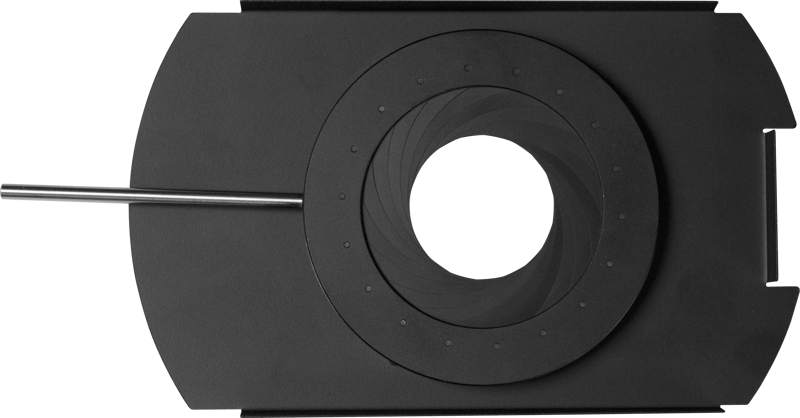
The Nanlite PJ-BM-AI Adjustable Iris is created specifically for use in the PJ-BM Bowens Projection Attachment. It gives you direct control over the light beam’s size and shape, allowing you to adapt the projection to your needs quickly and precisely.
Key features
- Designed for PJ-BM Bowens Projection Attachment: Built to work with the PJ-BM housing for a seamless fit.
- Adjustable beam size and shape: Enables full control over how wide or narrow the projected light is and how the beam appears.
- Multiple-blade design: Uses several blades to shape the beam, providing more refined control of the light edge and silhouette.
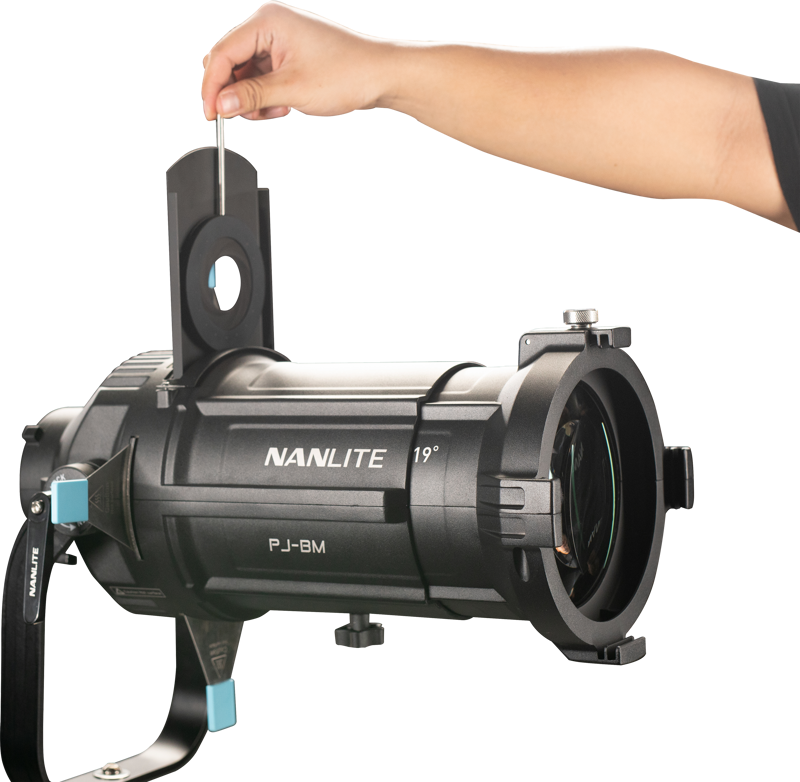
- Easy installation: The iris can be added or removed through the drop-in slot on the projection attachment for fast setup and changes.
Installation and use
Install the PJ-BM-AI by dropping it into the slot on the PJ-BM Bowens Projection Attachment. Because it fits into the housing directly, you can change or remove the iris quickly without tools. This makes it practical for workflows that require frequent adjustments to beam size or shape.
Why choose this iris
If you need a simple way to alter the character of the projected light within the PJ-BM system, this iris provides direct, mechanical control. Furthermore, its multiple-blade design helps you refine the beam edge and overall silhouette when shaping light is important for your scene or setup.
FAQ
Question: Is the PJ-BM-AI compatible with other projection attachments?
Answer: The PJ-BM-AI is created specifically for use in the PJ-BM Bowens Projection Attachment. Compatibility with other housings is not specified.
Question: How do I install or remove the iris?
Answer: You install and remove the iris through the drop-in slot on the PJ-BM projection attachment, which allows quick changes without tools.
Question: What kind of control does the iris provide?
Answer: The iris enables full control over the light beam’s size and shape and uses a multiple-blade design to shape the beam precisely.
Question: Can I rely on the iris for frequent adjustments during a shoot?
Answer: Yes. Because the iris drops in and out of the PJ-BM housing easily, it supports workflows that require repeated or rapid changes to beam size and shape.