
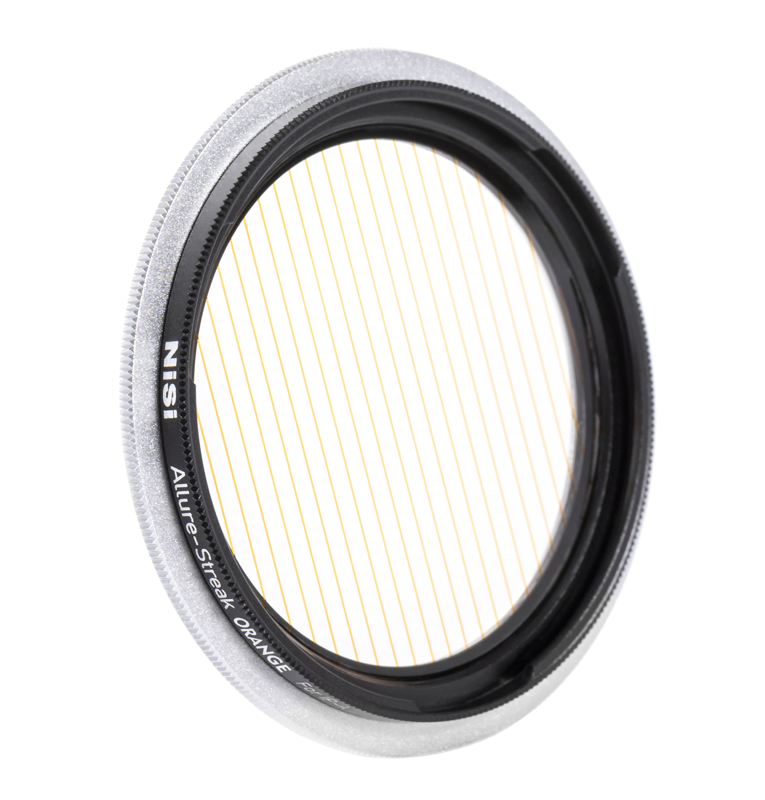
NiSi Filter IP-A for iPhone Allure Streak Orange
- VAT free purchase available at checkout.
- BrandNiSi
Description
Article no.: 28833
NiSi Filter IP-A for iPhone Allure Streak Orange – Creates a single elongated orange streak with a rotating front
This NiSi Allure Streak Orange filter for the IP-A system produces a single, elongated orange streak from a point light source. It uses a single series of etched lines on the glass surface to shape and color the streak. The filter’s front element rotates, so you can adjust the streak’s angle to match your composition.
Description
The filter features a single series of etched lines spaced 2mm apart that run across the filter surface. These etched lines create the distinctive horizontal orange streak commonly associated with anamorphic lenses. Because the streak is produced by the etched pattern on the optical glass, the effect appears as a single light ray extending from discrete point light sources.
Recommended use
Use longer focal lengths with the NiSi streak range to ensure the streak appears straight and is less affected by lens distortion. In practice, this recommendation helps you get a clean, linear streak from the light source when composing your shot on phones with attachable lens systems.
Installation
Install the NiSi IP-A circular filter by aligning the circular filter bayonet to one of the three installation positions on the holder. Ensure the outer bayonet of the filter aligns with the IP-A holder slot, then turn clockwise to tighten.
If you need to stack multiple filters, align the three bayonets on the second round filter with the three holes on the filter clip slot fixed on the IP-A holder. Make sure the outer bayonets are completely aligned with the round filter clip slot, then turn clockwise to tighten the stacked filters securely.
Compatibility and material
- Compatible with the NiSi IP-A Filter Holder for iPhone (Sold Separately)
- Special effects cinema filter designed to render a single light ray from a point light source
- Creates the effect of elongated orange streaks horizontally from the light source usually seen when using Anamorphic lenses
- Rotating front to change the angle of the streak
- Optical Glass
How the rotating front helps
The rotating front functions similarly to a circular polarizer (CPL). When you rotate the filter, the orientation of the etched lines relative to the light source changes, and the streak’s angle follows. This lets you refine the streak direction without repositioning the camera or light source.
FAQ
Question: Will this filter work without the NiSi IP-A holder?
Answer: No. The filter is designed to be used with the NiSi IP-A Filter Holder for iPhone, which is sold separately. The bayonet system requires the IP-A holder to attach and align properly.
Question: Can I stack this streak filter with other filters?
Answer: Yes. The filter supports stacking. Align the three bayonets on the second filter with the three holes on the IP-A holder’s filter clip slot, ensure full alignment, and then turn clockwise to tighten.
Question: Why does NiSi recommend longer focal lengths with the streak range?
Answer: Longer focal lengths reduce apparent lens distortion on the streak, helping the etched-line effect render a straighter, more uniform streak from the light source.
Question: What visual effect can I expect compared to anamorphic lenses?
Answer: The filter creates elongated orange streaks horizontally from point light sources, an effect commonly associated with anamorphic lenses. The result is a single, pronounced light ray shaped by the etched lines on the optical glass.