
Panasonic Fjärrutlösare för S-serien
- VAT free purchase available at checkout.
- BrandPanasonic
Description
Article no.: 29380
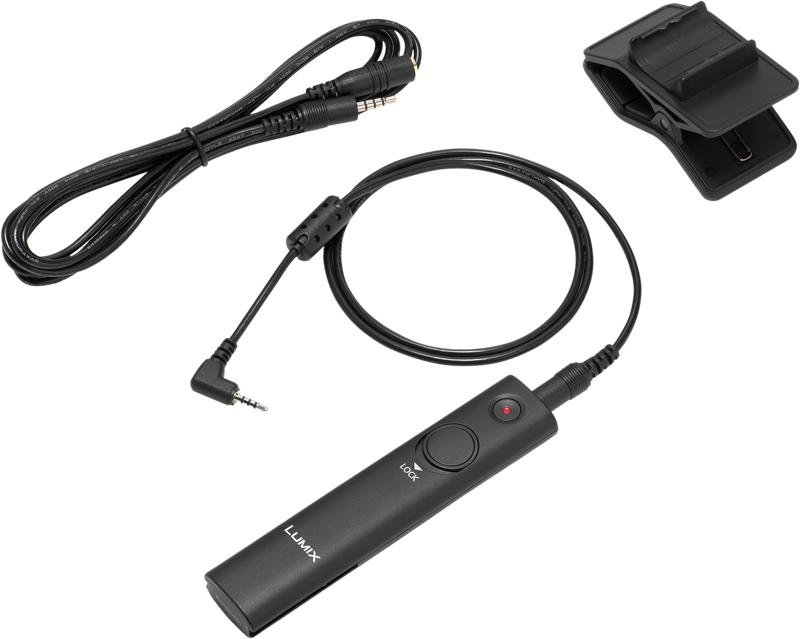
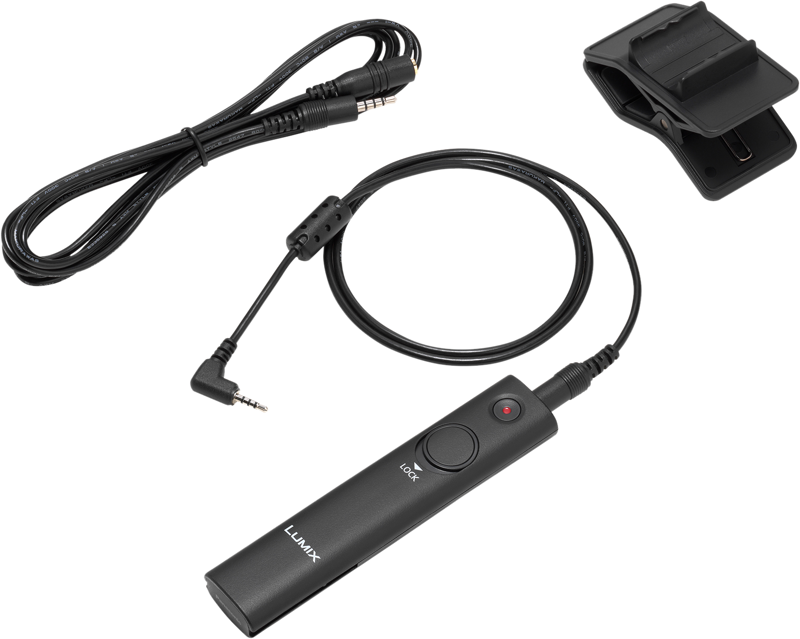
Panasonic DMW-RS2E Remote Shutter – Remote control for photo and video with Start/Stop video button
The Panasonic DMW-RS2E remote shutter lets you trigger the camera without touching it. It prevents unwanted motion when shooting on a tripod, and it makes burst shooting and long exposures easier to manage. The remote fits Panasonic Lumix S series camera models.
Key features
- Remote shutter control for both photo and video shooting.
- A dedicated Start/Stop button for videography to begin and end recording on compatible cameras.
- Includes necessary cables and an attachable tripod clip holder for tidy setup and storage.
- Designed to simplify burst shooting and holding the shutter open for extended exposures.
Bundled accessories
- Connection cable (80cm)
- Extension cable (2m)
- Easily attachable tripod clip holder
Compatibility and important notes
The video Start/Stop button can be used with compatible digital cameras: Lumix S1, S1R, GH5 / GH5S and G9 (as of February 1, 2019). However, this feature may not be available for Panasonic digital cameras equipped with a remote socket that were sold in or before January 2019.
Note: For GH5, GH5S and G9 models specifically, you must update the camera firmware to the latest version to enable the Start/Stop video feature.
| Specification | Details |
|---|---|
| Model | DMW-RS2E |
| Fits | Panasonic Lumix S series camera models |
| Connection cable | 80 cm |
| Extension cable | 2 m |
| Included holder | Easily attachable tripod clip holder |
| Start/Stop video compatible | Lumix S1, S1R, GH5 / GH5S and G9 (as of Feb 1, 2019) |
| Firmware note | GH5 / GH5S and G9 require the latest firmware; older cameras sold in or before Jan 2019 may not support Start/Stop |
How to use the remote
Connect the DMW-RS2E to your camera using the supplied connection cable. If you need extra reach, attach the 2 m extension cable. Then, clip the remote to your tripod with the provided holder for easy access. Use the shutter button for single shots, bursts, or to hold the shutter open for long exposures. When your camera supports it, use the Start/Stop button to control video recording remotely.
FAQ
question: Which cameras will work with the Start/Stop video button?
Answer: The Start/Stop feature works with Lumix S1, S1R, GH5 / GH5S and G9 as of February 1, 2019. Support depends on the camera model and its firmware version.
question: Do I need to update my camera firmware?
Answer: Yes. For GH5, GH5S and G9 you must update to the latest firmware to use the Start/Stop video function. Always check Panasonic’s support pages for the correct firmware version.
question: What accessories are included in the box?
Answer: The remote ships with a connection cable (80 cm), an extension cable (2 m) and an easily attachable tripod clip holder, so you can set up quickly and keep the remote within reach.
question: Can I use the remote for long exposures and burst shooting?
Answer: Yes. The remote prevents camera movement from pressing the shutter and lets you shoot bursts or hold the shutter open for extended exposures, which is especially useful when the camera is mounted on a tripod.