
Panasonic GH5/GH4 Firmware Update V-Log
- VAT free purchase available at checkout.
- BrandPanasonic
Description
Article no.: 29360
Panasonic GH5/GH4 Firmware Update V-Log L – Enable V-Log L for flexible log recording and 12 stops dynamic range
Paid software upgrade service for the Panasonic DMC-GH4 and DMC-GH5 activates V-Log L video recording. To enable this capability, you purchase the Upgrade Software Key DMW-SFU1 and update the camera firmware to Ver.2.3. Once activated, V-Log L provides a log recording option designed for extended flexibility during color grading.
What V-Log / V-Log L delivers
Log recording gives filmmakers greater flexibility and a wider dynamic range for color grading in post‑production. V-Log and V-Log L were developed to follow a characteristic curve similar to Cineon, which is the curve used during film digitalization. As a result, V-Log L offers a log characteristic with 12 stops when used with the Four Thirds sensor, and it shares the same characteristic curve as V-Log. Therefore, Look Up Tables (LUTs) designed for V-Log and V-Log L are compatible and can be used in common.
Activation procedure outline
Follow these steps to activate V-Log L on your GH4 or GH5. The process ties the activation to your camera’s serial number and requires both the Upgrade Software Key and the firmware update.
- Purchase the Upgrade Software Key DMW-SFU1.
- Update the GH4 or GH5 firmware to Ver.2.3.
- Export the camera’s serial number to an SD memory card as a file named "SERIAL.LST".
- Upload the "SERIAL.LST" file together with the purchased Upgrade Software Key to the designated URL to obtain an activation code file named "ACTIVE.LST".
- Write the "ACTIVE.LST" file onto the SD memory card and import it into the GH4 or GH5.
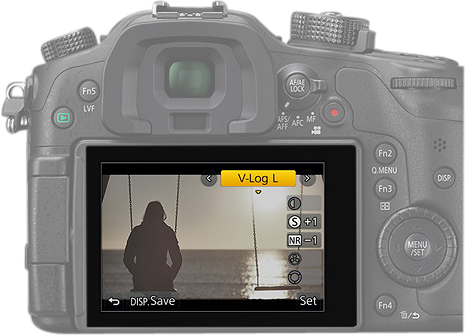
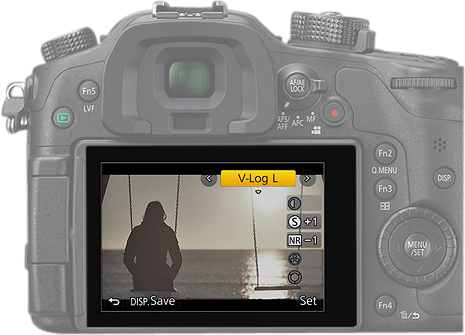
- Confirm that V-Log L is available in the Photo Style menu on the GH4 or GH5.
For complete, step‑by‑step instructions on each of these actions, refer to the installation guide that is bundled with the Upgrade Software Key DMW-SFU1.
Key points to remember
- The service is a paid software upgrade for the DMC-GH4 and DMC-GH5 models.
- Activation requires both the Upgrade Software Key DMW-SFU1 and the camera firmware update to Ver.2.3.
- The activation workflow uses a serial number export and an activation file ("ACTIVE.LST") written back to the camera via SD card.
- V-Log L provides log characteristics with 12 stops on Four Thirds sensors and shares LUT compatibility with V-Log.
| Specification | Value |
|---|---|
| Supported models | DMC-GH4 / DMC-GH5 |
| Upgrade key | DMW-SFU1 |
| Required firmware | Ver.2.3 |
| Log characteristic | V-Log L (same characteristic curve as V-Log) |
| Dynamic range | Log characteristic with 12 stops (Four Thirds sensor) |
Frequently Asked Questions
Question: Do I need both the Upgrade Software Key and a firmware update to get V-Log L?
Answer: Yes. You must purchase the Upgrade Software Key DMW-SFU1 and update the GH4/GH5 firmware to Ver.2.3 before proceeding with the activation steps.
Question: How does the activation link to my camera?
Answer: The activation process requires exporting your camera’s serial number as "SERIAL.LST", uploading that file with your Upgrade Key to the designated URL, and then importing the returned "ACTIVE.LST" file into the camera. This ties the activation to that specific camera serial number.
Question: Are V-Log and V-Log L compatible with the same LUTs?
Answer: Yes. V-Log and V-Log L share the same characteristic curve, and LUTs can be utilized in common between them.
Question: Where can I find detailed installation instructions?
Answer: The installation guide is bundled with the Upgrade Software Key DMW-SFU1 and provides full details for the export, upload, and import steps needed to activate V-Log L.