
SEETEC monitor ATEM156S 15.6"""" W. SDI
- VAT free purchase available at checkout.
- BrandSEETEC
Description
Article no.: 30305
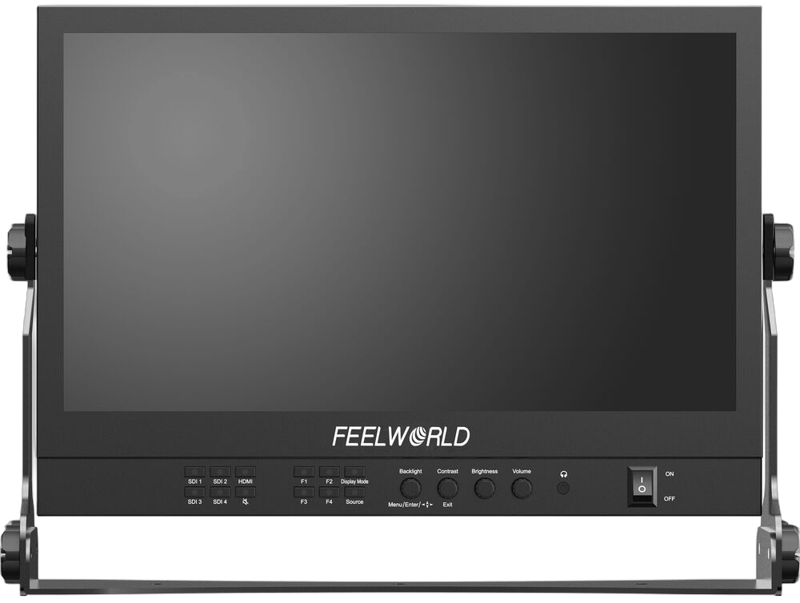
SEETEC ATEM156S 15.6" Multicamera Broadcast Director Monitor — Quad‑split viewing with four 3G‑SDI inputs and outputs
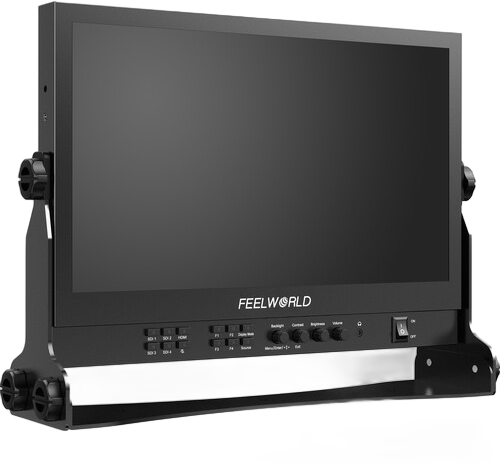
This 15.6" multicamera broadcast director monitor delivers Full HD monitoring with a quad-split display so you can view multiple sources at once. It features a 1920 x 1080 resolution and a brightness of 200 cd/m2. The monitor offers flexible input and output options, built-in professional monitoring tools, and multiple mounting and power choices for studio and field use.
Multiple inputs and simultaneous viewing
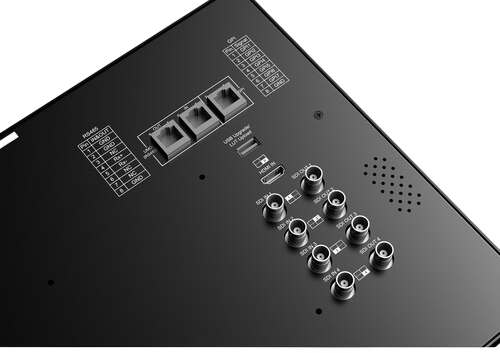
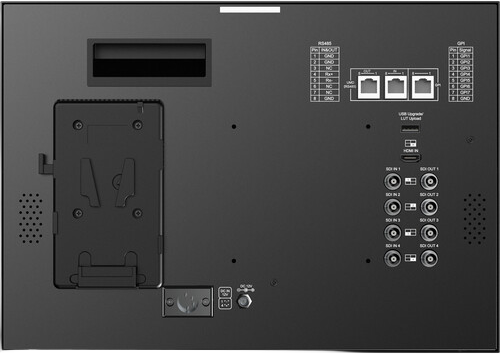
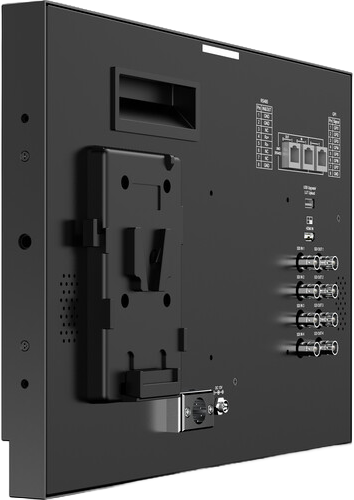
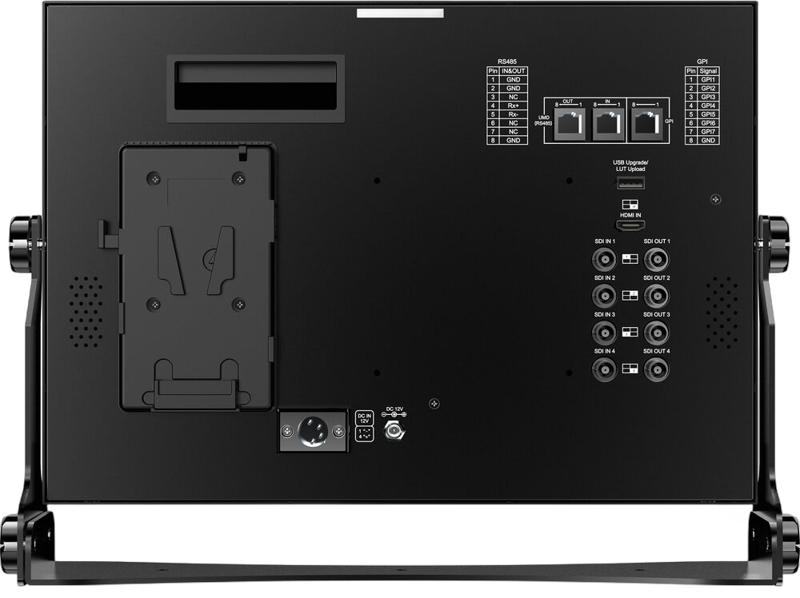
The rear panel provides one HDMI input alongside four 3G‑SDI inputs and four 3G‑SDI outputs. Consequently, you can route and monitor several signals simultaneously. The monitor supports quad-view and PiP display layouts, letting you choose single, PiP, or multi-source displays depending on your production needs.
Professional monitoring tools
Use the monitor's built-in analysis tools to verify exposure, color and focus. It includes focus peaking, various markers, monochrome and R/G/B-only modes, pixel-to-pixel mapping, image flip, and traditional scopes. These tools help you confirm a proper image on every shot.
Power, control and mounting options
The monitor includes a V‑mount plate built into the back so you can power it from V‑mount batteries in the field when mains power is not available. For permanent installations or alternative mounting, the rear offers a VESA mounting pattern. Additionally, a USB input enables 3D LUT uploads and the unit supports remote control via GPI and RS‑485.
Easy desktop setup
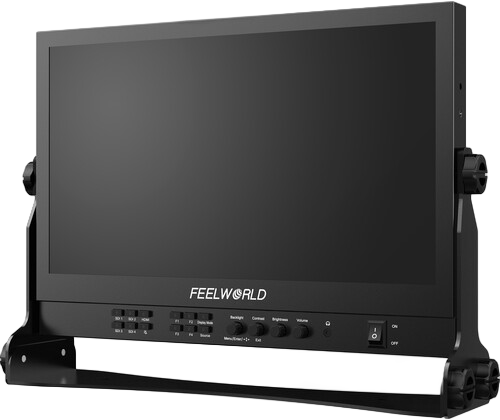
The supplied desktop stand lets you place the monitor on a desk and adjust the tilt angle for comfortable viewing. You can also use the VESA points if you prefer a bracket or wall installation.
Key Features
- 15.6" 1920 x 1080 Full HD screen
- Rugged aluminum housing; durable
- Flexible and intuitive button operation; easy to use
- Multiple display modes (single, PiP, quad)
- Supports 3D LUT Log to REC.709 and user 3D LUT upload (up to 36)
- Waveform, vectorscope, RGB histogram, focus assist, and monochrome functions; you can accurately expose and focus every shot
- Multiple interfaces include four 3G-SDI inputs and outputs, one HDMI input, RS-485, and GPI
- Stereo earphone output
- VESA-standard mounting points support for bracket or hanging wall installations
Image Features
- Quad-split display (1P, 2P LR, 2P TB, 2P PIP, 4P)
- Peaking focus assist
- False color
- Anamorphic (1.33x, 1.5x, 1.8x, 2.0x)
- Display rotate (0, 90, 180, 270°, H/V mirror)
- Check field (red, green, blue, mono)
- Image freeze
- Zoom
- Pixel-to-pixel
- Center marker
- Screen marker (80, 85, 90, 93, 96%, 4:3, 2.39:1, 2.35:1, 1.85:1)
- Line color (red, green, blue, white)
In the Box
- FeelWorld 15.6" Multicamera Broadcast Director Monitor (Desktop Stand)
- Power Adapter
- V-Mount Battery Plate
- Mini-HDMI Cable
- SDI Cable
- Sun Hood
- Desktop Stand
- Limited 1-Year Manufacturer Warranty
Specifications
| Specification | Detail |
|---|---|
| Screen | 15.6" 1920 x 1080 Full HD |
| Brightness | 200 cd/m2 |
| SDI Inputs | Four 3G‑SDI inputs |
| SDI Outputs | Four 3G‑SDI outputs |
| HDMI | One HDMI input |
| 3D LUT | USB upload; supports Log to REC.709 and user LUT upload (up to 36) |
| Control | GPI and RS‑485 |
| Power | Built-in V‑mount plate for battery power |
| Audio | Stereo earphone output |
| Housing | Rugged aluminum |
| Mounting | VESA-standard mounting points |
FAQ
Question: Can I monitor multiple camera feeds at once with this monitor?
Answer: Yes. The monitor supports quad-view and PiP layouts, including 1P, 2P LR, 2P TB, 2P PIP and 4P, so you can view several inputs simultaneously and switch display modes depending on your workflow.
Question: How can I power the monitor in the field?
Answer: The monitor has a built-in V‑mount battery plate on the back. This lets you run the unit from V‑mount batteries when mains power is unavailable, giving you flexibility for location shoots.
Question: Can I load custom LUTs and use waveform or vector scopes?
Answer: Yes. A USB input lets you upload user 3D LUTs (up to 36), and the monitor includes waveform, vectorscope, RGB histogram, peaking, false color and other analysis tools for accurate exposure and color checks.
Question: What physical mounting and placement options are available?
Answer: You can use the supplied desktop stand, which allows tilt adjustment for comfortable desktop use, or mount the monitor using the VESA-standard mounting points for brackets or wall installations.
Question: Which connectivity and control options does the monitor offer?
Answer: The unit provides one HDMI input, four 3G‑SDI inputs and four 3G‑SDI outputs. For remote control and integration, it supports GPI and RS‑485 control interfaces and includes a stereo earphone output for audio monitoring.