
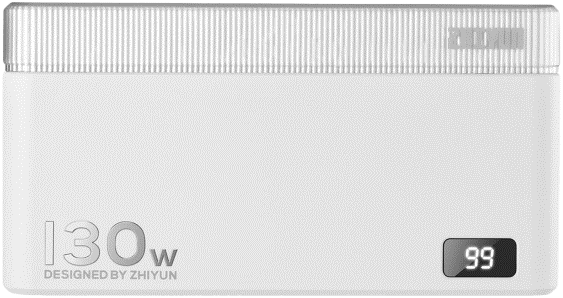
Zhiyun Molus Power Bank 130W Black
- VAT free purchase available at checkout.
- BrandZhiyun
Description
Article no.: 30856
Zhiyun Molus Power Bank 130W – 130W high-power portable charger with multiple fast-charging ports
The Zhiyun Molus 130W Power Bank is a compact, high-power portable battery designed for filmmakers and photographers. It combines a variety of ports, compatibility with mainstream fast-charging protocols, and an intelligent digital display so you can monitor power status at a glance.
Key features
- Uses 21700 power cells for safety and reliability, providing superior charging and discharging performance compared to some other cell types.
- Includes an intelligent digital display that clearly shows the power status and remaining battery level so you always know how much energy is available.
- Offers three independent fast-charging ports, enabling you to power multiple photography lights or devices at the same time.
- Supports mainstream fast-charging protocols, delivering broad compatibility with many chargers and devices that use contemporary charging standards.
- Provides two output modes that allow you to switch how power is distributed between ports, giving you flexibility for different device combinations and power needs.
Charging the Molus Power Bank
Charge the Molus Power Bank using a standard USB Type-C cable connected to a USB charger. For best results, use a USB charger that supports the PD (Power Delivery) protocol. The Molus supports PD charging up to a maximum of 65W when recharging the bank itself.
Output power details
The Molus specifies the following output power limits for single, dual and triple port usage. Refer to these values when connecting laptops, lights, cameras, or other gear.
Single port Output power:
- USB-C 1 - 100W
- USB-C 2 - 65W
- USB-A - 30W
Simultaneous Dual port Output power (Modes):
- Mode 1: USB-C 1 - 100W & USB-C 2 - 30W
- Mode 1: USB-C 1 - 65W & USB-C 2 - 65W
- Mode 2: USB-C 1 - 100W & USB-A - 30W
- Mode 2: USB-C 2 - 65W & USB-A - 30W
Simultaneous Triple port Output power (Modes):
- Mode 1: USB-C 1 - 100W & USB-C 2 - 15W & USB-A - 15W
- Mode 2: USB-C 1 - 65W & USB-C 2 - 45W & USB-A - 20W
Technical specifications
| Specification | Value |
|---|---|
| Battery Power | 83.25Wh / 3.7V / 22500mAh |
| Rated Capacity | 13200mAh (5V / 6A) |
| Maximum PD charging power (input) | 65W |
| Single port outputs |
|
| Simultaneous dual port outputs |
|
| Simultaneous triple port outputs |
|
FAQ
Question: Can the Molus Power Bank recharge via USB-C?
Answer: Yes. Use a standard USB Type-C cable to connect the Molus to a USB charger. For optimal recharge performance, use a charger that supports the PD protocol; the Molus accepts PD charging up to 65W.
Question: How many devices can I power at once and what power will they get?
Answer: The Molus has three independent fast-charging ports, so you can power up to three devices simultaneously. Output power varies by port and the selected mode—refer to the specified single, dual and triple port output values to plan device combinations and ensure adequate power for each device.
Question: Is the battery technology safe and reliable for continuous use on set?
Answer: The Molus uses 21700 power cells, which are noted in the product information for safety and reliability. These cells also contribute to solid charging and discharging performance during regular use.
Question: Will the Molus power a laptop or high-power device?
Answer: The USB-C 1 port can deliver up to 100W when used as a single output, and USB-C 2 can deliver up to 65W. Devices that accept those input levels can therefore be powered from the corresponding ports. For combined device setups, consult the dual and triple port output modes to confirm the available power distribution.