
Blackmagic Design HyperDeck Extreme Control
- VAT free purchase available at checkout.
- BrandBlackmagic Design
Description
Article no.: 31255
Blackmagic Design HyperDeck Extreme Control – Deck Controller for HyperDeck Series
Overview of This Deck Controller
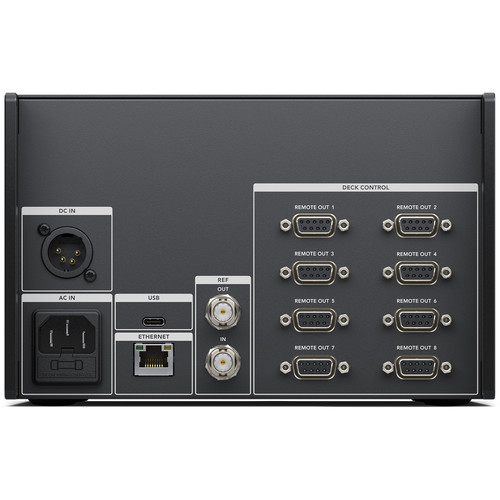
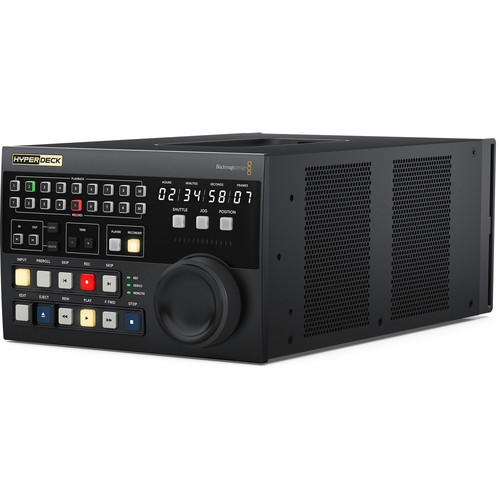
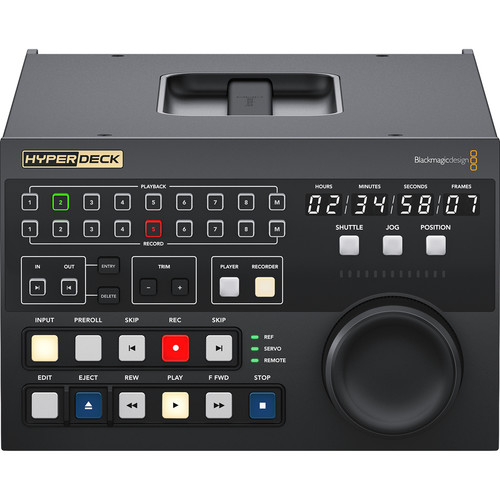
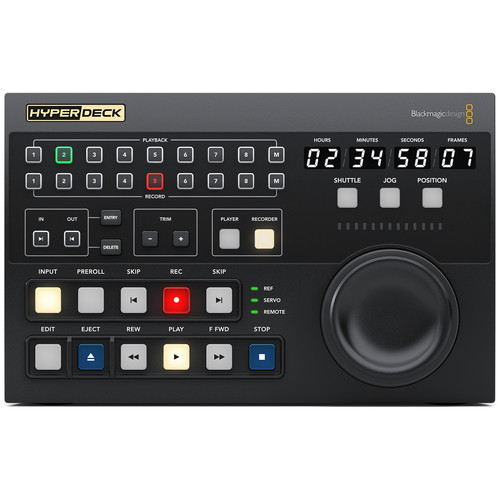
The HyperDeck Extreme Control from Blackmagic Design is a professional deck control panel built to work with devices like the HyperDeck Studio HD Mini, HyperDeck Extreme 4K HDR, and HyperDeck Extreme 8K HDR. It offers traditional transport buttons (Play, Stop, Record, Forward, Rewind), a large jog/shuttle dial, a timecode display, and RS-422 ports to connect and control up to eight decks, including HyperDeck recorders and legacy broadcast decks.
Control Compatibility with HyperDeck Models
The unit works seamlessly with the HyperDeck Studio HD Mini, HyperDeck Extreme 4K HDR, and HyperDeck Extreme 8K HDR. You can select which deck to control using the row of “Recorder” and “Player” buttons. These buttons allow both deck control and editing workflows—like tape-to-file or file-to-file transfers—without needing to touch the recorder itself.
Editing and Multi-Deck Workflows
A built-in deck-to-deck editor enables selecting In/Out points on one device (e.g., a tape deck or HyperDeck Studio HD Mini), then triggering a recording on another (e.g., a HyperDeck Extreme). The system can route video through converters for format conversion, up-converting, de-interlacing, and aspect corrections as needed—supporting complex broadcast workflows with legacy and modern equipment side by side.
RS-422 Connectivity and Legacy Deck Support
With eight RS-422 ports on the rear panel, HyperDeck Extreme Control can manage up to eight RS-422-enabled decks simultaneously. Mix HyperDecks and older tape-based broadcast decks—such as Betacam SP or Digital Betacam—from the same control surface. Status indicators show servo lock, reference sync, and remote mode.
Precision Jog, Shuttle, and Timecode Management
The search dial offers three modes—jog, shuttle, and full positioning—for precise frame navigation or rapid scanning. The timecode display shows real-time deck time, remote status, and reference sync. To start recording, press both Play and Record together, helping guard against accidental recording.
Included with Purchase
- HyperDeck Extreme Control unit
- User manual on SD card
- Power cable (IEC mains)
- 1-year manufacturer warranty
Specifications
| Feature | Details |
|---|---|
| Deck Control Ports | 8 × RS-422 ports (control up to 8 decks) |
| Transport Controls | Play, Stop, Record, Forward, Rewind, Skip Fwd/Rev, In/Out buttons |
| Jog/Shuttle Dial | Jog, shuttle, and position modes with electronic clutch |
| Timecode Display | Shows timecode, servo, remote, and reference status |
| Editing | Deck-to-deck editing (set In/Out on player, record on target) |
| Deck Selection | 8 recorder and 8 player selection buttons |
| Reference | Supports external reference monitoring |
| Build | 3U height, half-rack width |
| Power | 100–240 V AC |
| Weight | Approx. 1.6 kg |
Frequently Asked Questions (FAQ)
Can this control HyperDeck Studio HD Mini?
Yes. The RS-422 connectivity and transport interface works with HyperDeck Studio HD Mini, as well as HyperDeck Extreme models.
What happens if multiple decks are selected?
Enable multi-deck control by holding the “M” (multi) button and selecting deck numbers. Jog/shuttle and transport controls apply across all selected decks.
Is external reference supported?
Yes. The panel supports external reference for sync; indicator lights show reference lock.
Can I edit between a tape deck and HyperDeck Extreme?
Yes. Set In/Out on the tape deck using the Player buttons, select the recorder (e.g., HyperDeck Extreme), then press Edit to perform the transfer.