
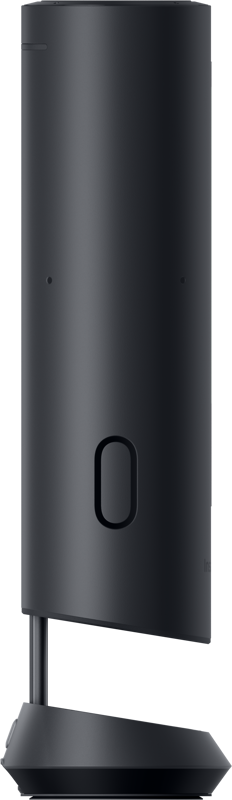
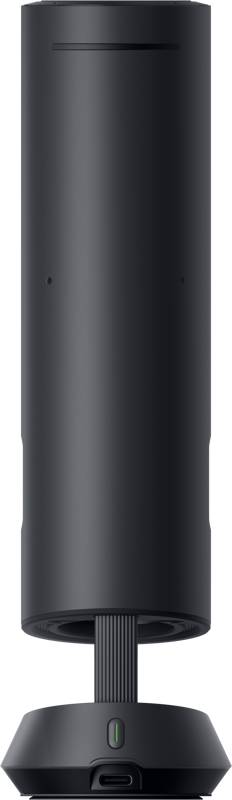
Insta360 Wave Graphite Black
- VAT free purchase available at checkout.
- BrandInsta379
Description
Article no.: 31647
Insta360 Wave Graphite Black – compact desktop speakerphone for clear voice capture
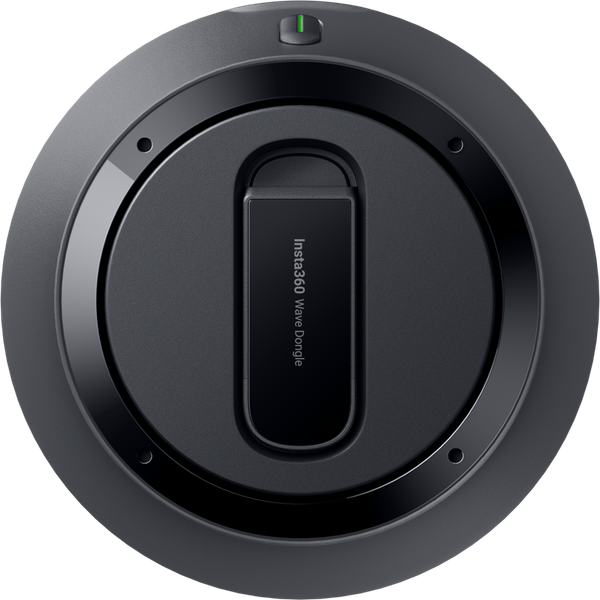
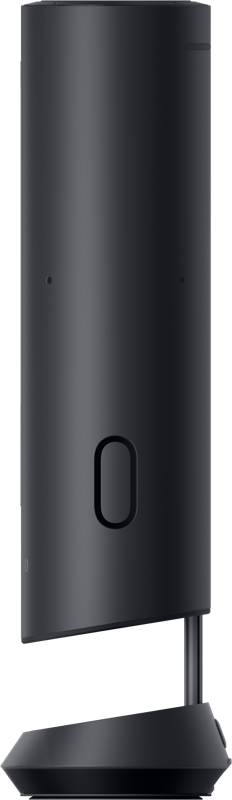
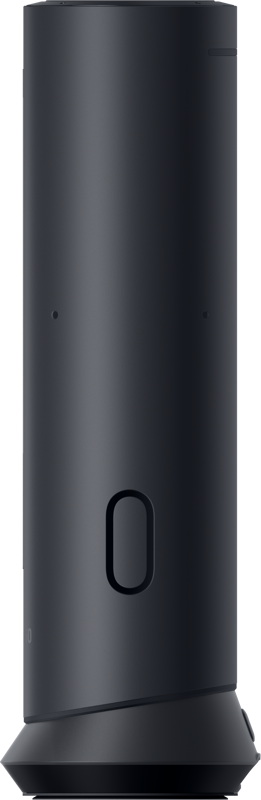
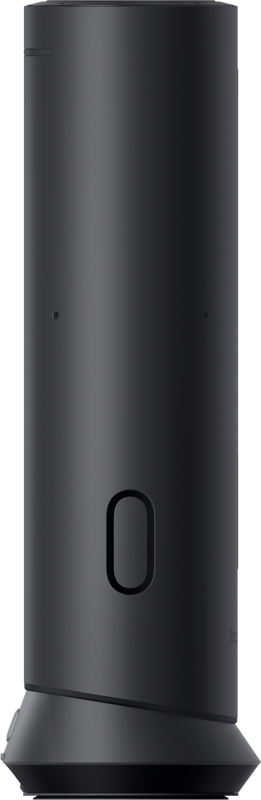
The Insta360 Wave Graphite Black is a compact desktop speakerphone designed for clear voice capture, simple meeting control, and flexible local recording. It fits on a desk at home or in the office and works for calls, podcasts, livestreams, and basic music playback. The upright design keeps the microphone ports away from the table surface, and touch controls on the base make everyday use straightforward.
Clear voice capture and real-time processing
Wave uses an 8-microphone array to capture detailed speech, and it records audio at 48 kHz. In addition, the device applies noise reduction, echo cancellation, automatic gain control, and de-reverberation so voices sound closer and more natural. Two-way, real-time full-duplex audio supports natural conversation without clipping each other off, which helps meetings and live discussions feel more like in-person exchanges.
Flexible pickup patterns for different setups
Wave adapts to different rooms and situations with five pickup patterns. Use the mode that matches your setup:
- Omni — captures voices all around the device for round-table meetings.
- Cardioid — focuses on the front for one-person calls, podcasts, or streams.
- Supercardioid — narrows the focus further for noisy desks or busy environments.
- Figure-8 — captures front and rear for two-person interviews or face-to-face conversations.
- Stereo — records left/right channels for wider capture when connected by USB as the audio input.
Local recording and on-device controls
Wave includes 32 GB of built-in storage, turning the unit into a simple recorder. You can start recording with a single tap, mute instantly, and add markers during a meeting to highlight key moments. The storage is rated for up to 1,000 hours of MP3 audio. Furthermore, an AI pre-recording mode is planned to continuously listen in the background and save the last five minutes when you hit record; this feature will arrive via an over-the-air update.
AI meeting assistant and cloud features
An AI meeting assistant extends the hardware with cloud-based tools. Transcription runs with cloud processing and offers options for speaker voiceprint labeling and a custom glossary so product names or acronyms are recognized consistently. After a meeting, you can review notes and action items, ask follow-up questions in a chat interface, and share summaries quickly using an on-screen QR code. Some of these features are included in paid plans, and additional minute packages are available for higher usage. Privacy measures include locked local storage on the device and optional cloud storage with standard security certifications.
Controls, connectivity, and desktop management
The base touch interface handles microphone on/off, volume, record/stop, mute-while-recording, and cloud upload. For connectivity, Wave supports USB-C, Bluetooth, and a low-profile wireless dongle. A desktop controller app lets you manage Wi‑Fi, audio settings, highlights, screenshots, and meeting reminders. The app also offers support for common conferencing platforms, enabling straightforward integration into workflows you already use.
Integration, expandability, and future updates
Wave pairs with Insta360 Link 2 to provide a combined audio-video solution. Direction-of-arrival detection helps the camera switch focus between speakers during group discussions. In addition, a future update will allow multiple Wave units to connect wirelessly to cover larger rooms, expanding the system for broader meeting spaces.
Key details
- 8-mic array with up to 5 m voice pickup and 48 kHz capture
- Noise reduction, echo cancellation, automatic gain control, de-reverberation
- Five pickup modes: omni, cardioid, supercardioid, figure-8, stereo (USB)
- Built-in 32 GB storage with one-tap record, mute, and moment tagging
- Cloud tools for transcription, notes, action items, and quick sharing via QR
- USB-C, Bluetooth, and dongle connectivity; desktop controller for fine-tuning
What’s in the box
- Wave unit
- Dongle
- 1.5 m USB-C cable
- USB-A to USB-C adapter
- Carry bag
Technical specifications
| Specification | Details |
|---|---|
| Microphone array | 8-mic array |
| Pickup range | Up to 5 m voice pickup |
| Sampling rate | 48 kHz capture |
| Internal storage | 32 GB (rated up to 1,000 hours MP3) |
| Pickup modes | Omni, Cardioid, Supercardioid, Figure-8, Stereo (USB) |
| Connectivity | USB-C, Bluetooth, low-profile wireless dongle |
| Included cable | 1.5 m USB-C cable |
FAQ
Question: Can Wave record locally without using the cloud?
Answer: Yes. Wave has built-in 32 GB storage and supports one-tap recording, mute, and moment tagging. You can record locally without using cloud services, and local storage is locked for privacy.
Question: Does Wave offer transcription and meeting summaries?
Answer: Yes. Wave’s AI meeting assistant provides cloud-based transcription, speaker labeling, and a custom glossary for consistent recognition of names and acronyms. After meetings, you can review notes, action items, and share summaries via QR code. Some features may require paid plans or additional minute packages.
Question: Which pickup mode should I use for a podcast or single-speaker stream?
Answer: Use Cardioid mode. It focuses on the front and is suited for one-person calls, podcasts, and streams. If you need a wider stereo image for USB input, switch to Stereo mode.
Question: How does Wave integrate with cameras or larger meeting setups?
Answer: Wave integrates with Insta360 Link 2 for a combined audio-video setup, and its direction-of-arrival detection helps the camera switch focus between speakers. A planned update will allow multiple Wave units to connect wirelessly to expand coverage for larger rooms.
Question: What connectivity options and controls are available?
Answer: Wave connects via USB-C, Bluetooth, or a low-profile wireless dongle. The device provides touch controls on the base for mic on/off, volume, recording, and cloud upload. Additionally, a desktop controller app lets you manage Wi‑Fi, audio settings, highlights, screenshots, and meeting reminders, with support for common conferencing platforms.