
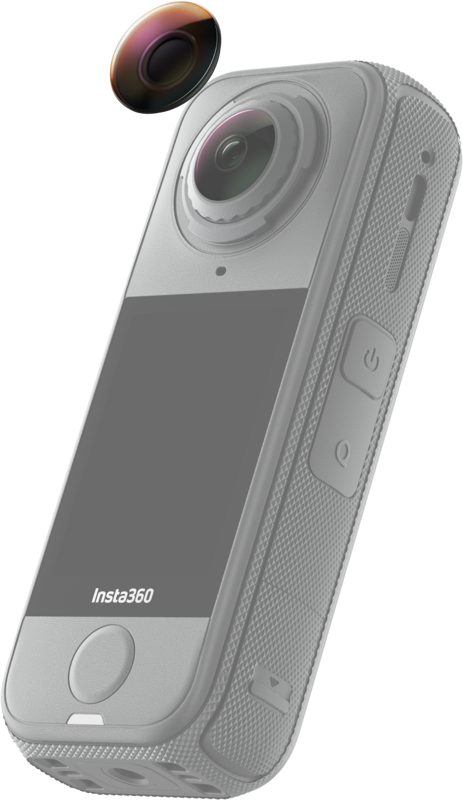
Insta360 X4 Air Replacement Lens Kit (Single Lens)
- VAT free purchase available at checkout.
- BrandInsta386
Description
Article no.: 31654
Insta360 X4 Air Replacement Lens Kit — Replace a damaged outer lens yourself at home
The Insta360 X4 Air Replacement Lens Kit lets you replace a damaged X4 Air outer lens yourself, without waiting for repairs. It is made for quick at-home replacement so accidental lens damage does not have to stop your shooting.
Key features and compatibility
This kit is designed specifically for the Insta360 X4 Air. It uses official replacement lenses made specifically for the X4 Air model and includes the tools needed to remove, install, and clean the lens.
What the kit is for
- Designed for Insta360 X4 Air.
- For replacing the outer lens — front or rear.
- Available in Single Lens and Double Lens versions; this listing is for the Single Lens kit.
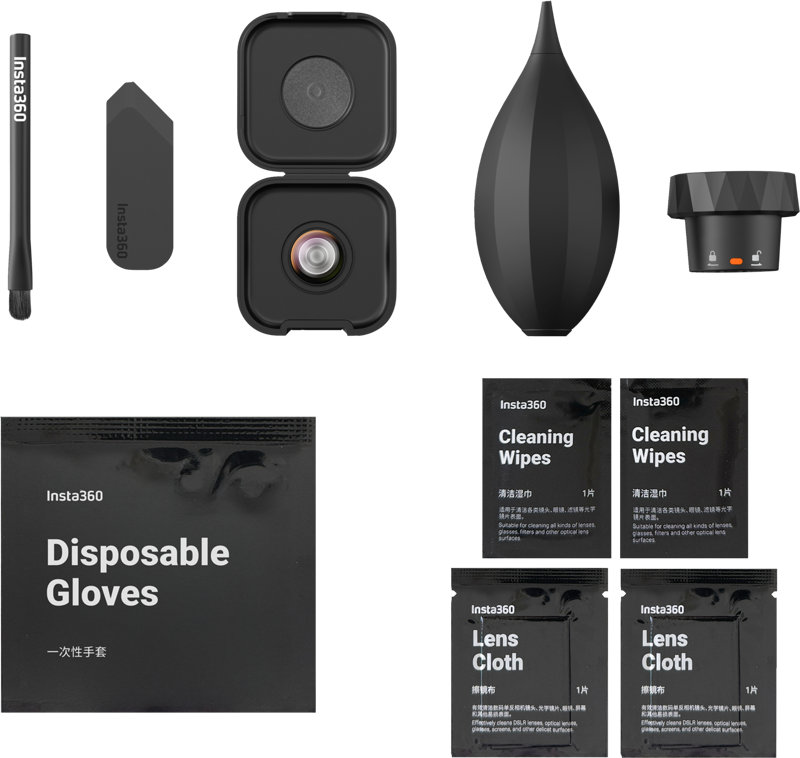
- Includes tools to remove, install, and clean the lens so you have everything needed in one kit.
Recommended environment and basic installation steps
For best results, perform the replacement indoors in a clean, dust-free room with humidity below 60%. During installation, align the white mark on the lens ring with the correct mark on the camera. After replacing the lens, run Stitching Calibration in the camera settings to restore optimal image stitching.
- Prepare a clean, dust-free workspace indoors with humidity below 60%.
- Use the provided lens tool to remove the damaged outer lens carefully.
- Install the replacement lens, aligning the white mark on the lens ring with the camera’s alignment mark.
- Use the included cleaning tools to remove any dust or fingerprints before final assembly.
- Turn on the camera and run Stitching Calibration in the camera settings after installation.
What’s included
- Replacement lens
- Lens tool
- Cleaning tools
Why this kit is useful
This kit saves time by letting you handle minor lens damage at home. In addition, it provides official replacement lenses and the necessary tools in one package so you can complete removal, installation, and cleaning without sourcing extra items.
FAQ
Question: Is this kit compatible with my camera?
Answer: Yes. This kit is designed specifically for the Insta360 X4 Air.
Question: Can I replace the front and rear outer lenses with this kit?
Answer: Yes. The kit supports replacement of the outer lens, either front or rear.
Question: What is the difference between Single Lens and Double Lens versions?
Answer: The product is available in Single Lens and Double Lens versions; this specific listing is for the Single Lens kit. Choose the version that matches which outer lens(s) you need to replace.
Question: Do I need any extra tools or parts?
Answer: No. The kit includes a replacement lens, a lens tool, and cleaning tools so you have the items required for removal, installation, and cleaning.
Question: Are there any special steps after installation?
Answer: Yes. After installing the replacement outer lens and aligning the white mark on the lens ring with the camera mark, run Stitching Calibration in the camera settings to ensure proper image alignment.