
Description
Article no.: 31671
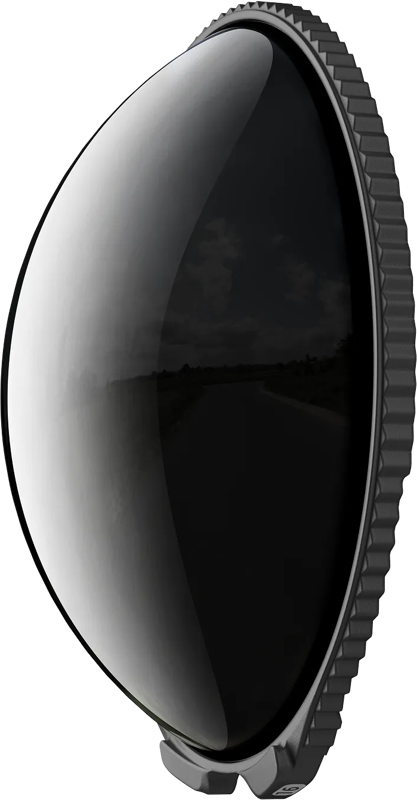
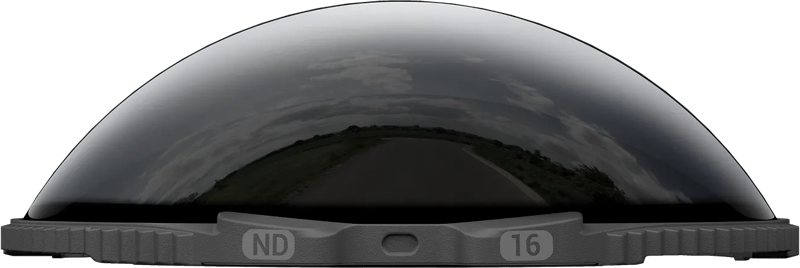
Insta360 X5 ND16 Filters – Reduce light for smoother, more cinematic motion blur
Use the Insta360 X5 ND16 filter to control light in bright conditions so you can keep exposure and shutter speed in the sweet spot. The ND16 option reduces incoming light, helping you capture smoother motion blur and cleaner highlights when shooting 360 video.
Key features
- Reduces light in strong daylight and helps create more natural-looking motion blur. This makes it easier to maintain appropriate shutter speeds for realistic motion rendering.
- Enables longer exposures for creative effects like light trails and night scenes. By cutting light, the filter lets you extend exposure times when needed for artistic results.
- Available as individual densities: ND16, ND32, ND64, or ND128. You can choose the density that matches your shooting conditions and creative intent.
- Also available as a filter set option. If you need multiple densities, a set offers more flexibility across different lighting scenarios.
- X5 can auto-detect the filter to help maintain accurate colours and streamline editing. When attached, the camera recognises the filter and adjusts metadata accordingly, aiding colour accuracy in post.
- Tempered glass construction with high scratch and wear resistance (10H lab-tested). The filter uses a durable, lab-tested glass to resist scratches and everyday wear.
How it helps in 360 shooting
The ND16 filter improves highlight control and motion rendering when you shoot in bright environments. Consequently, you can preserve detail in bright areas and capture more lifelike blur during movement. In short, it supports both practical exposure control and creative long-exposure techniques.
Compatibility
Compatible with: Insta360 X5.
What’s included
- 2x ND Filter
- Storage box
- Cleaning cloth
Specifications
| Specification | Details |
|---|---|
| Density options | ND16, ND32, ND64, ND128 |
| Material | Tempered glass |
| Scratch resistance | 10H lab-tested |
| Compatibility | Insta360 X5 |
FAQ
Question: What does the ND16 filter do for my Insta360 X5?
Answer: The ND16 filter reduces light entering the lens in bright conditions, which helps you maintain ideal shutter speeds for smoother motion blur and better highlight control in 360 footage.
Question: Can the Insta360 X5 detect this filter automatically?
Answer: Yes. The X5 can auto-detect the filter, which helps maintain accurate colours and streamlines your editing workflow by recording the filter metadata.
Question: Are there other density options available?
Answer: Yes. In addition to ND16, the filters are available individually as ND32, ND64, and ND128. You can also choose a filter set if you want multiple densities.
Question: What is included when I buy this product?
Answer: The package includes 2x ND Filter, a storage box, and a cleaning cloth so you can store and keep the filters clean between uses.