
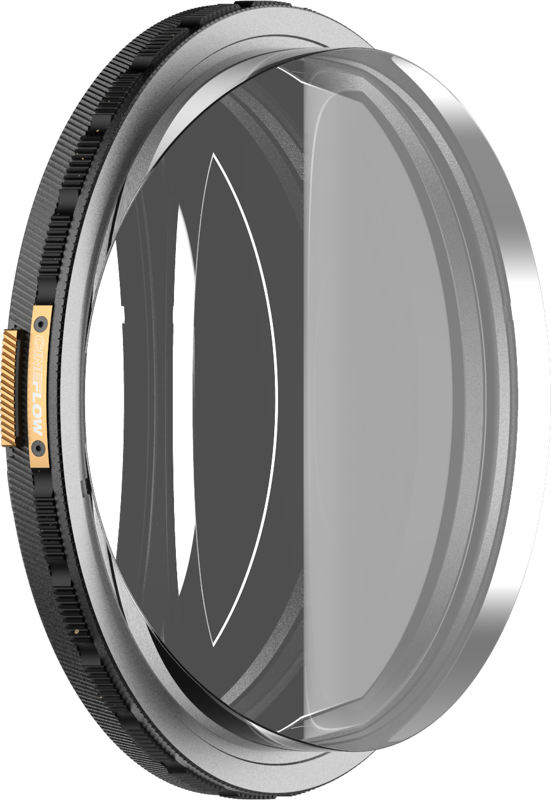
PolarPro CineFlow Filter Helix MagLock
- VAT free purchase available at checkout.
- BrandPolarPro
Description
Article no.: 31883
PolarPro CineFlow Filter Helix MagLock – Adds Instant Kinetic Energy to Photos and Video
The PolarPro CineFlow Filter Helix MagLock is a creative motion filter designed to add instant kinetic energy to both photos and video. It produces clean, controlled directional streaks that introduce flow and depth while keeping your subject sharp and in focus. You shape the motion intentionally by rotating the filter to control the direction of the effect.
What CineFlow does
CineFlow uses optimized optical geometry to create consistent streaks and natural-looking texture. The design emphasizes motion without sacrificing subject clarity, so your main subject remains sharp and in focus even as the background or surrounding details gain cinematic movement.
Key Features
- Instant Energy – Adds motion and depth to portraits, street scenes, and product photography.
- Cinematic Flow – Creates clean, controlled motion patterns that enhance visual storytelling.
- Rotation Control – Rotate the filter to precisely shape the direction of motion.
- Optimized Optical Pattern – Engineered for consistent streaks and refined, natural-looking texture.
- Fast Workflow – Quick installation and removal keeps your shooting rhythm uninterrupted.
- Hybrid Utility – Designed for both still photography and video capture.
How to use CineFlow
Mount the filter and rotate it to guide the viewer’s eye through the frame. As you change the rotation, the directional streaks shift, allowing you to emphasize movement in a particular direction. This gives you intentional control over the visual flow and depth in each shot.
Who benefits from this filter
CineFlow suits hybrid shooters who work with both photos and video and need a fast, reliable way to introduce motion. Use it for portraits to add dynamic background motion, for street scenes to emphasize movement and energy, or for product photography when you want controlled streaking to highlight textures and shape.
Workflow and installation
The filter is built for fast workflows. You can install and remove it quickly to maintain your shooting rhythm. This makes CineFlow practical for on-the-go setups and for projects that demand rapid changes between looks.
FAQ
question: What effect does the CineFlow filter create?
Answer: It produces directional streaks that add motion and depth, creating a cinematic flow while keeping your subject sharp and in focus.
question: How do I control the direction of the motion effect?
Answer: You control the direction by rotating the filter. Rotation precisely shapes the direction of the streaks so you can guide the viewer’s eye through the frame.
question: Is CineFlow suitable for both photography and video?
Answer: Yes. CineFlow is designed as a hybrid tool that works for still photography and video capture, allowing consistent results across both mediums.
question: Will using the filter affect subject sharpness?
Answer: The filter is designed to keep your subject sharp and in focus while introducing controlled motion to other elements of the scene.