
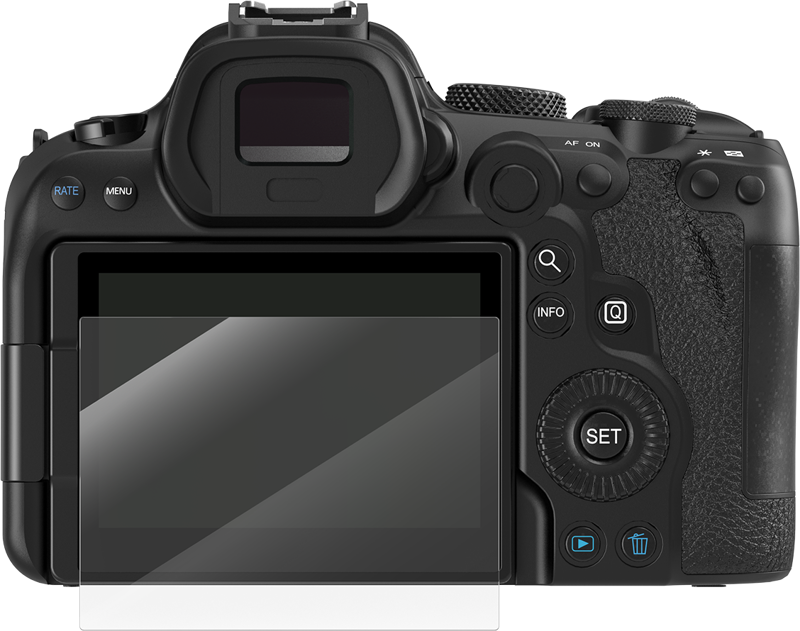

SmallRig 5805 Screen Protector for Canon R6 / R6 II / R7
- VAT free purchase available at checkout.
- BrandSmallRig
Description
Article no.: 31481
SmallRig 5805 Screen Protector for Canon R6 / R6 II / R7 – 0.3 mm Ultra-thin and IK03 Shockproof
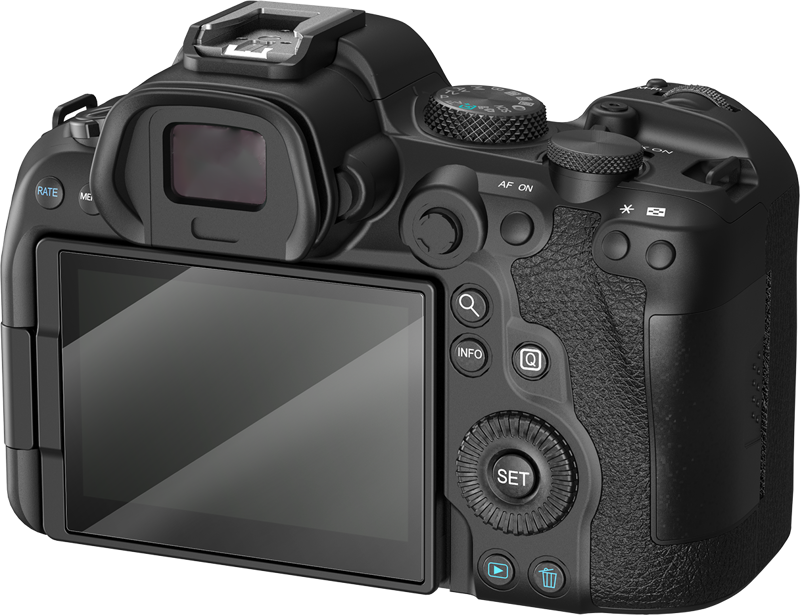
Protect your camera’s LCD from fingerprints, water spray, dust, and scratches with the SmallRig 5805 screen protector. It fits Canon EOS R6, R6 Mark II, and R7 and preserves touch responsiveness while adding impact resistance to the display.
Key protection features
This screen protector shields the screen surface from everyday hazards. Specifically, it helps prevent fingerprints, blocks light water spray, keeps out dust, and resists scratches. In addition, it meets the IK03 shockproof standard for improved impact protection.
Design and feel
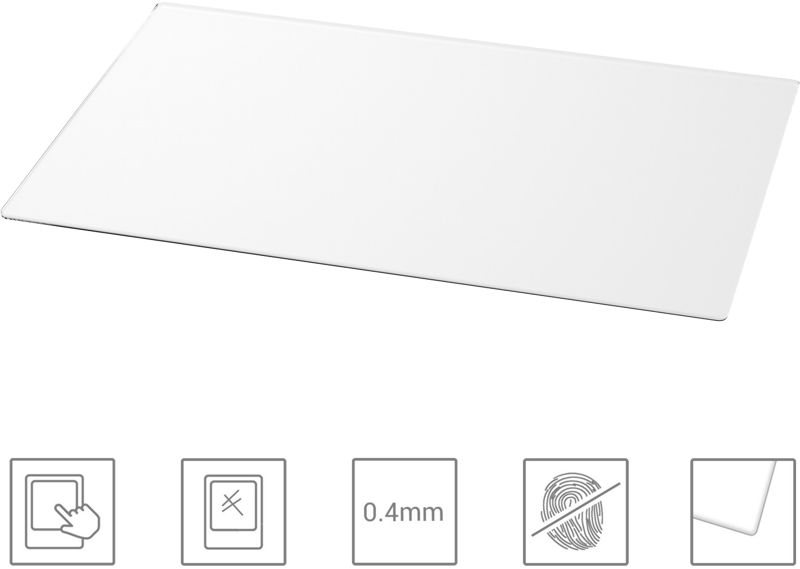
SmallRig designed the protector with a 0.3 mm ultra-thin profile. As a result, you retain natural, touch-accurate control of the camera’s touchscreen. Moreover, the 2.5D arc-rounded edges blend smoothly with the camera screen for a more native look and feel.
Easy, bubble-free installation
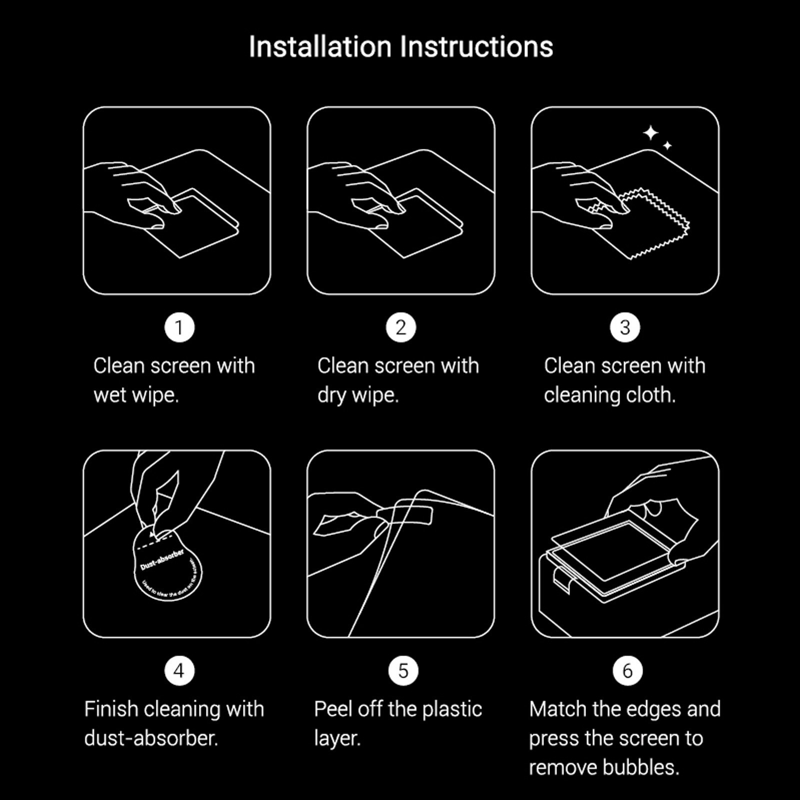
You can apply the protector simply and cleanly via electrostatic adsorption. First align the protector to the edges of the LCD, then let the electrostatic adhesion set—this method helps you achieve a bubble-free fit when aligned correctly.
What’s in the package
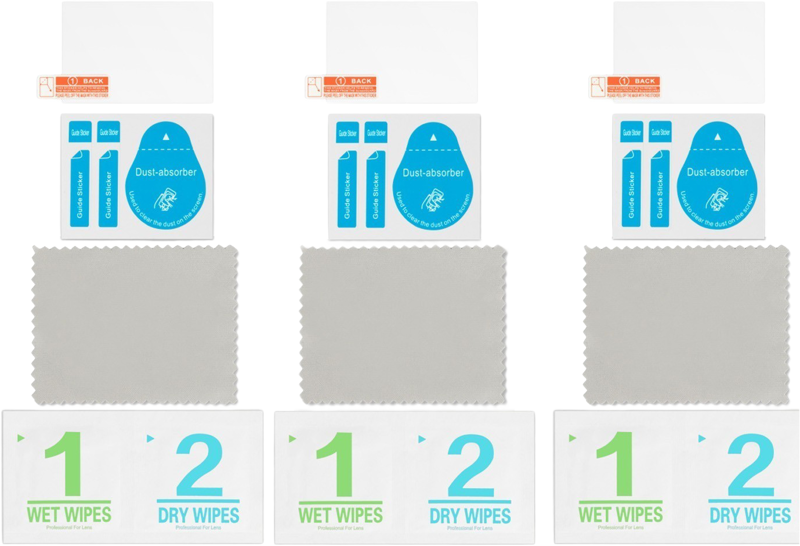
The product package and included accessories support both installation and ongoing use. The package includes glass films, microfiber cloth, alcohol wipes, and a dust absorber to help prepare and clean the screen before application.
- 3 x Screen Protector
- 3 x Cleaning Tools
- 3 x Fiber Cloth
- 3 x Dust Absorber
Important note
To reduce the chance of dust and bubbles during installation, the screen protector is intentionally slightly smaller than the LCD screen. This sizing helps ensure a cleaner, more reliable application.
Compatibility
- Canon EOS R6
- Canon EOS R6 Mark II
- Canon EOS R7
Specifications
| Specification | Details |
|---|---|
| Thickness | 0.3 mm ultra-thin |
| Edge style | 2.5D arc-rounded edges |
| Shockproof standard | IK03 |
| Adhesion method | Electrostatic adsorption for bubble-free application |
| Protection | Helps protect against fingerprints, water spray, dust, and scratches |
FAQ
Question: Will the SmallRig 5805 affect touchscreen sensitivity?
Answer: No. The protector’s 0.3 mm ultra-thin construction preserves natural, touch-accurate control so you can operate the camera’s touchscreen as normal.
Question: What does IK03 shockproof mean for my camera screen?
Answer: IK03 indicates the protector offers a specified level of shock resistance. In practical terms, the protector adds a layer that helps reduce damage from light impact while keeping the screen functional.
Question: How do I avoid bubbles and dust during installation?
Answer: Clean the screen with the included alcohol wipe, use the microfiber cloth to remove smudges, and the dust absorber to lift remaining particles. Then align the protector to the screen edges and let the electrostatic adsorption secure it for a bubble-free result. Note that the protector is slightly smaller than the LCD to further reduce dust and bubbles.
Question: What accessories are included for installation and care?
Answer: The package contains glass films and cleaning items such as microfiber cloths, alcohol wipes, and dust absorbers. The packaging list also specifies three screen protectors, three cleaning tools, three fiber cloths, and three dust absorbers to support multiple applications or replacements.